

Introduction
Effective project planning starts with knowing how much work resources can realistically handle. When organizations fail to assess their internal capacity, they tend to make reactive decisions, often resulting in resource shortages, unbalanced workloads, compromised quality, and delayed delivery.
That’s where implementing a resource capacity model becomes critical. It enables enterprises to anticipate capacity constraints, assess workforce readiness, and proactively close gaps. As a result, firms can optimize resource utilization, improve billability, and meet both current and future project demands with confidence.
This blog aims to highlight the significance of the advanced resource capacity model and the critical steps for building a strong framework to drive sustainable business growth.
What is a Resource Capacity Model?
A resource capacity model is a structured framework that helps organizations determine how much work their available resources, both human and non-human, can realistically support over a given period.
This model enables organizations to identify capacity gaps early and make data-driven resourcing decisions, such as redeployment, upskilling, or hiring to balance availability with actual demand. Consequently, organizations can improve resource planning, maximize business efficiency, and boost profitability.
Now that the fundamentals are clear, let’s comprehend how the resource capacity model helps organizations scale without compromising delivery or profit margins.
Read our guide on resource capacity planning and how it drives project success.
Why Resource Capacity Models Matter for Growing Businesses?
A resource capacity model gives managers clear visibility into resource availability, workloads, and upcoming demand. This clarity enables informed capacity decisions and smoother project execution. The other benefits include:
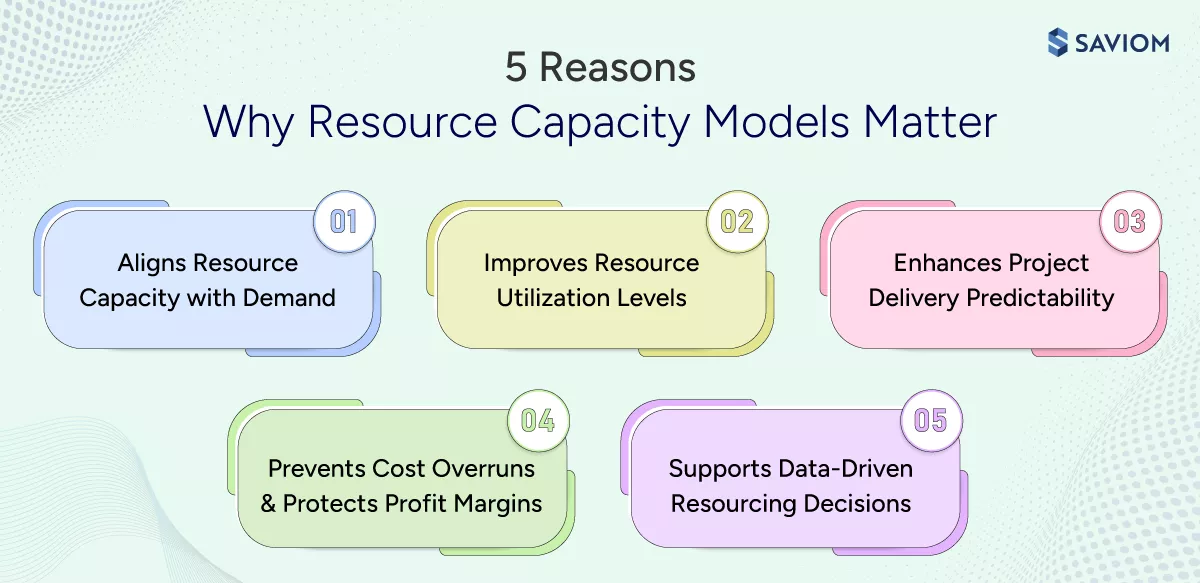
Aligns Resource Capacity with Business Demand
A resource capacity model maps expected work against available capacity, skills, and time to determine whether existing resources can meet business demand. This clarity allows managers to prioritize initiatives based on actual delivery capability rather than assumptions, reducing last-minute firefighting and constant reshuffling of teams.
Explore further on the importance of demand planning for businesses.
Improves Resource Utilization Levels
According to the Gallup workplace surveyz, “Only 23% of employees are engaged at work, while a significant portion remain disengaged due to unbalanced workloads and lack of planning clarity.”
Resource capacity modeling helps firms identify over- and underutilized resources early, enabling balanced workload distribution. Moreover, by aligning resources to the right initiatives based on skills and availability, managers can improve employee productivity, reduce burnout, and strengthen overall workforce health.
Enhances Project Delivery Predictability
By modeling capacity across project phases, organizations ensure the right skills are available when needed, not just at project initiation. This reduces schedule delays caused by competing priorities or last-minute resource conflicts. As a result, this improves delivery predictability and strengthens customer confidence.
Prevents Cost Overruns & Protects Profit Margin
One of the key advantages of a resource capacity model is its ability to highlight potential resource shortages early, helping organizations avoid costly last-minute hiring and prevent cost overruns. Moreover, it ensures efficient resource deployment and better skill alignment, minimizing rework and protecting project margins.
Explore proven cost-reduction strategies to improve profitability.
Supports Data-Driven Hiring & Upskilling Decisions
Resource capacity models enable organizations to compare projected demand with existing workforce capabilities, clearly highlighting emerging talent gaps. Consequently, managers can take informed decisions on whether to upskill current resources or hire new talent. This foresight replaces intuition-based decisions with data-backed workforce strategies aligned with the business’s strategic growth plans.
With the benefits established, let us explore different types of resource capacity models.
4 Types of Resource Capacity Planning Model
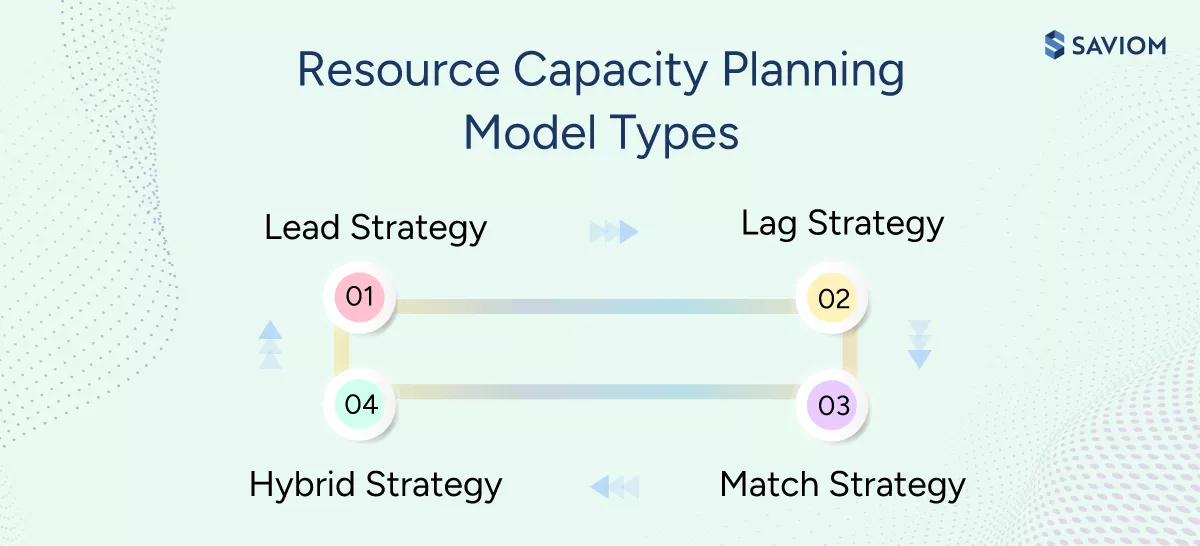
Managers can select an appropriate resource capacity planning model based on project demand to optimize organizational capacity. The four types of resource capacity models are:
Lead Strategy
The lead strategy involves anticipating and increasing organizational capacity ahead of expected demand. This proactive approach helps meet changing project requirements with ease, avoid last-minute resource shortages, and minimize cost overruns.
Explore how resource capacity forecasting helps build a future-ready workforce.
Lag Strategy
The lag strategy adds capacity only when demand rises significantly. Organizations delay hiring or resource expansion to control costs and avoid excess capacity. While this approach improves cost efficiency, it increases the risk of resource shortages, delivery delays, and overworked teams during demand spikes.
Match Strategy
The match strategy adjusts resource capacity incrementally in line with demand changes. Instead of large upfront investments or delayed reactions, organizations fine-tune capacity through phased hiring, redeployment, or targeted upskilling. This approach depends heavily on accurate forecasting and ongoing monitoring.
Gain further insights into 10 effective strategies to combat resource overutilization.
Hybrid Strategy
The hybrid strategy blends lead, lag, and match approaches across different roles and skills. Organizations apply a lead approach for critical skills, a lag approach for stable roles, and a match strategy for predictable but variable demand. This flexibility helps enterprises balance cost, agility, and delivery reliability in dynamic environments.
The next section focuses on how to build a capacity model that supports effective resource planning.
How to Build a Robust Resource Capacity Planning Model?
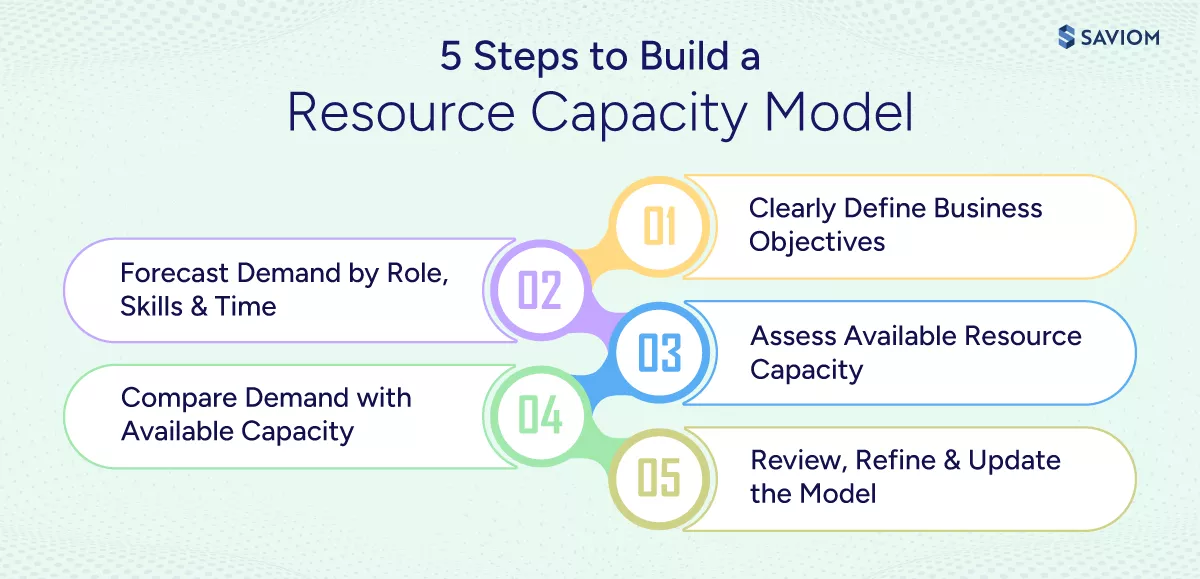
Building a demand and capacity model involves careful planning and analysis. The following key steps will guide you through the process:
Clearly Define Business Objectives
Start by identifying the business objectives the capacity model must support. This may include building a future-ready talent pool, preventing skill shortages, improving delivery predictability, controlling costs, or reducing resource risks. Clear objectives ensure the model informs strategic workforce decisions rather than becoming a purely operational exercise.
Learn what capacity planning is and how it helps in maximizing business efficiency.
Forecast Demand by Role, Skills & Time
After defining business goals, the subsequent step is to capture all current and anticipated work, including approved projects, planned initiatives, and pipeline opportunities. Next, break down project demand by roles, skills, and timelines to understand when and where capacity will be required.
For instance, an IT services company with upcoming cloud migration and application modernization projects forecasts demand for cloud architects in Q2, DevOps engineers in Q2–Q3, and testing specialists in Q3. Demand is estimated in full-time equivalent (FTE) based on project timelines and delivery phases.
Assess Available Resource Capacity
The third step is evaluating workforce capacity by factoring in actual resource availability, including work hours, planned leave, training, and non-project commitments. Then, structure capacity by roles and skills, not just headcount, to reflect actual project delivery capability. This supports more accurate capacity planning.
Delve deeper into the importance of resource availability in project management.
Compare Demand with Available Capacity
At this stage, managers must evaluate whether the available capacity can meet forecasted demand over a defined period. This comparative analysis enables them to identify emerging capacity and capability gaps and implement corrective measures, such as planned hiring or upskilling/retraining, to bridge these gaps and meet project requirements.
Read this eBook to learn how firms can perform resource capacity planning effectively and deliver projects with confidence.
Discover deeper insights into how capacity planning enhances business efficiency.
Review, Refine & Update the Model Regularly
Lastly, regularly review the capacity model to ensure it remains aligned with business goals and supports reliable capacity decisions. Additionally, update the resource capacity model as projects evolve, priorities shift, or workforce availability changes, ensuring it always reflects real-world conditions.
Having outlined the key steps to build a resource capacity model, let’s explore the best practices in the next section.
Best Practices for Building an Effective Resource Capacity Model
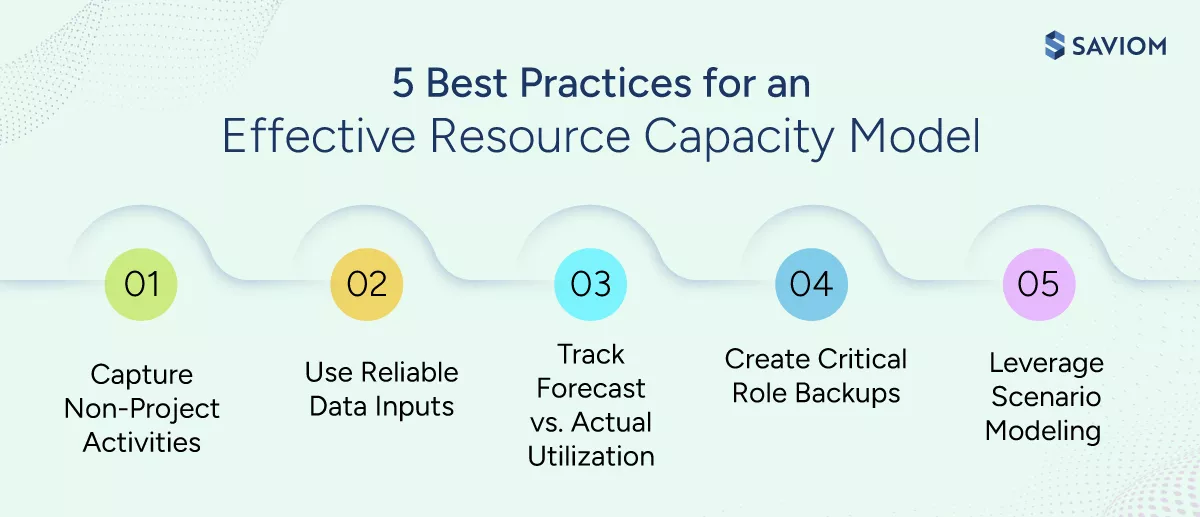
Below are some best practices for developing a future-ready staff capacity planning model that supports strategic business success and drives profitable outcomes.
Capture Non-Project Work & Training Activities
Non-project work, such as internal meetings, administrative tasks, and employee training, consumes a significant portion of workforce capacity. Including these activities ensures capacity calculations reflect true availability rather than theoretical working hours. This prevents overcommitment and improves the reliability of project delivery across concurrent initiatives.
Delve deeper into the importance of capacity management in driving sustainable business growth.
Use Reliable & Consistent Data Inputs
A resource capacity model is only as strong as the data behind it. Thus, considering accurate project demand, realistic timelines, and up-to-date resource availability are essential for producing credible forecasts. Consequently, consistent data inputs build leadership confidence and reduce resource planning disputes across departments.
Track Forecast vs. Actual Resource Utilization
Managers must regularly compare planned capacity with actual resource utilization to identify gaps in resource forecasting and execution variances. This feedback loop helps organizations refine assumptions, improve forecast accuracy, and strengthen future capacity decisions.
Discover simple steps to effectively track resource utilization.
Develop a Backup Plan for Critical Roles
According to the McKinsey research, “In many organizations, between 20 to 30% of critical roles are not filled by the most appropriate people.”
These figures make it explicitly essential for firms to develop both short- and long-term backup plans for critical roles, facilitating smooth workflow and enhancing operational efficiency. Short-term plans cover unforeseen absences, while long-term succession planning guarantees business continuity during transitions, such as retirements or promotions.
Leverage Scenario Modeling for Smarter Decisions
Scenario modeling helps organizations validate their resource capacity model by testing how changes in demand, timelines, or staffing levels impact available capacity. By comparing multiple scenarios in advance, managers can choose the most feasible capacity plan, minimize delivery risk, and avoid last-minute capacity adjustments.
Explore how scenario planning prepares organizations for future uncertainty.
Now, let’s understand how organizations can effectively create a reliable resource capacity model using SAVIOM.
How Does SAVIOM Help Create an Efficient Resource Capacity Model?
Effective capacity modeling depends on timely, connected workforce data across roles, skills, and timelines. SAVIOM’s modern resource capacity planning software helps organizations bring this data together to support consistent, informed capacity decisions. Let’s see how:
- The all-in-one resource planner provides a unified view of availability, capacity, utilization, and skills across teams and geographies, enabling managers to make informed capacity-planning decisions.
- The embedded capacity planner enables managers to forecast demand, identify potential resource gaps, and proactively address shortages or surpluses, thereby ensuring project success.
Gain early foresight into upcoming project demands and plan capacity more accurately using SAVIOM’s advanced resource management tool. Book a demo to see it in action.
- KPI forecaster offers real-time insights into critical resource management metrics such as capacity, utilization, availability, and skills, supporting data-backed workforce and financial planning.
- Intelligent matchmaking ensures each project is staffed with the best-fit resources based on their skills, roles, experience, cost, etc., ultimately improving delivery quality.
- Embedded resource heatmaps provide a color-coded view of overloaded and underutilized resources, helping managers proactively distribute workloads and prevent burnout.
- A competency matrix centralizes certifications and skill data in one place, enabling targeted hiring, training, and upskilling initiatives aligned with future demand.
- Scenario modeling enables managers to create and compare capacity planning scenarios to assess their impact and choose the most profitable and viable outcome.
- With the tool’s real-time BI reports, including utilization, people-on-the-bench, project vacancy, and more, managers gain actionable insights to make data-driven decisions for capacity planning.
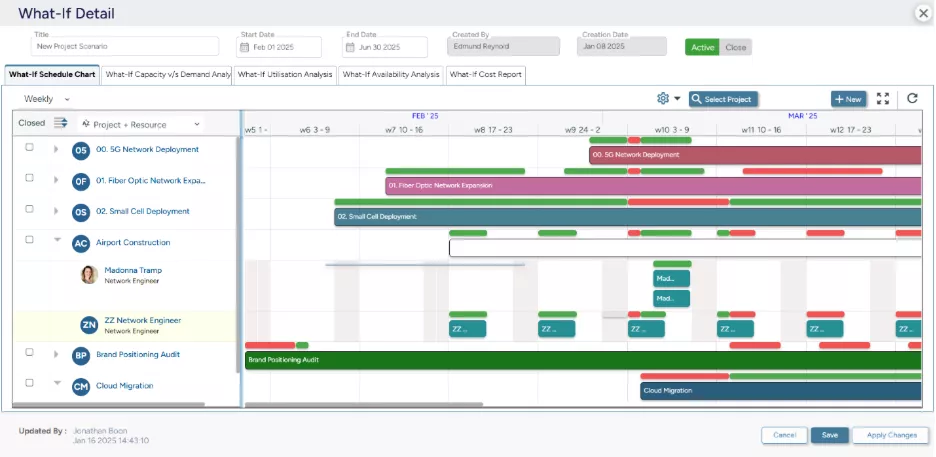 SAVIOM’s What-If Analysis empowers managers to compare various workforce scenarios and select the most favorable and profitable outcome.
Final Thoughts
By providing a clear, forward-looking view of demand versus capacity, the resource capacity model brings structure, transparency, and realism into workforce and delivery planning. It helps managers commit to work based on actual capability, thereby enabling the team to perform within sustainable limits. As a result, firms see tangible benefits, such as stronger utilization, fewer delivery disruptions, and improved cost control.
Frequently Asked Questions (FAQs)
A resource capacity model defines how much work an organization’s available human and non-human resources can realistically support over a specific period.
A resource capacity model is important as it helps organizations:
1. Aligns Resource Capacity with Business Demand
2. Improves Resource Utilization Levels
3. Enhances Project Delivery Predictability
4. Prevents Cost Overruns & Profit Margin Erosion
5. Supports Data-Driven Hiring Decisions & Upskilling
Resource capacity planning models include:
1. Lead Strategy
2. Lag Strategy
3. Match Strategy
4. Hybrid Strategy
Building a robust resource capacity planning model involves:
1. Clearly Define Business Objectives
2. Forecast Demand by Role, Skills & Time
3. Assess Available Resource Capacity
4. Compare Demand with Available Capacity
5. Review, Refine & Update the Model Regularly
Resource capacity model best practices encompass:
1. Capture Non-Project Work & Training Activities
2. Use Reliable & Consistent Data Inputs
3. Track Forecast vs. Actual Resource Utilization
4. Develop Backup Plans for Critical Roles
5. Leverage Scenario Modeling for Smart Decisions