

Introduction
Imagine this: A consulting firm decides to replace its legacy resource management tools as project volume grows across teams. Each stakeholder evaluates vendors differently: IT focuses on integrations, finance on costs, and operations on usability. After a few demos, the firm selects a platform that looks promising, but once implementation begins, gaps in resource forecasting, skills visibility, and cross-team planning surface.
An enterprise resource management software checklist helps prevent this kind of mismatch. It gives teams a shared framework to evaluate software solutions against the same business, technical, and functional criteria. This makes the selection process more objective and improves the chances of choosing software that supports quick adoption, scalability, and long-term delivery performance.
This blog explains what enterprise resource management software is, why it matters, and how to evaluate the right solution using a structured software checklist.
What is Enterprise Resource Management Software?
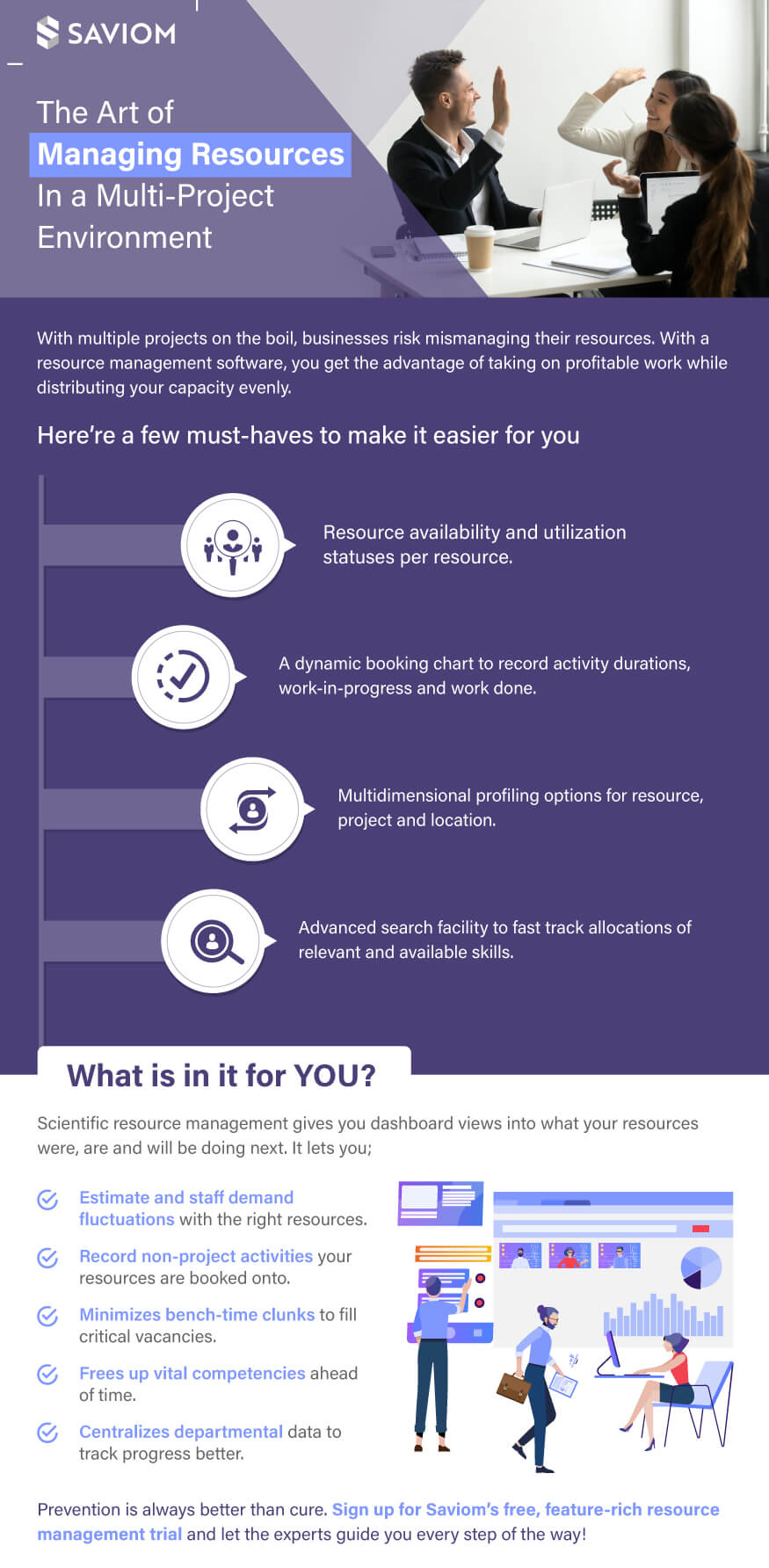
Enterprise resource management software is a centralized platform that helps organizations forecast, plan, allocate, and optimize resources across projects, departments, and business units. It provides real-time visibility into resource capacity, availability, skills, and project demand, helping managers assign the right people to the right work at the right time.
In addition, ERM software provides advanced capabilities, such as forecasting, capacity planning, and scenario modeling, to help organizations anticipate future resource needs and address shortages in advance. By aligning resource supply with project demand, it minimizes overbooking, reduces bench time, and enables data-driven decisions for redeployment, hiring, upskilling, and prioritizing initiatives.
Now that we have defined enterprise resource management software, let’s look at the key business problems it helps organizations solve.
What Problems Does Enterprise Resource Management Software Help Solve?
A strong software evaluation should begin with the operational challenges the platform is meant to solve. Framing the assessment this way helps enterprises evaluate solutions based on business impact, adoption value, and long-term ROI. Let’s look at the key business problems ERM software helps solve:
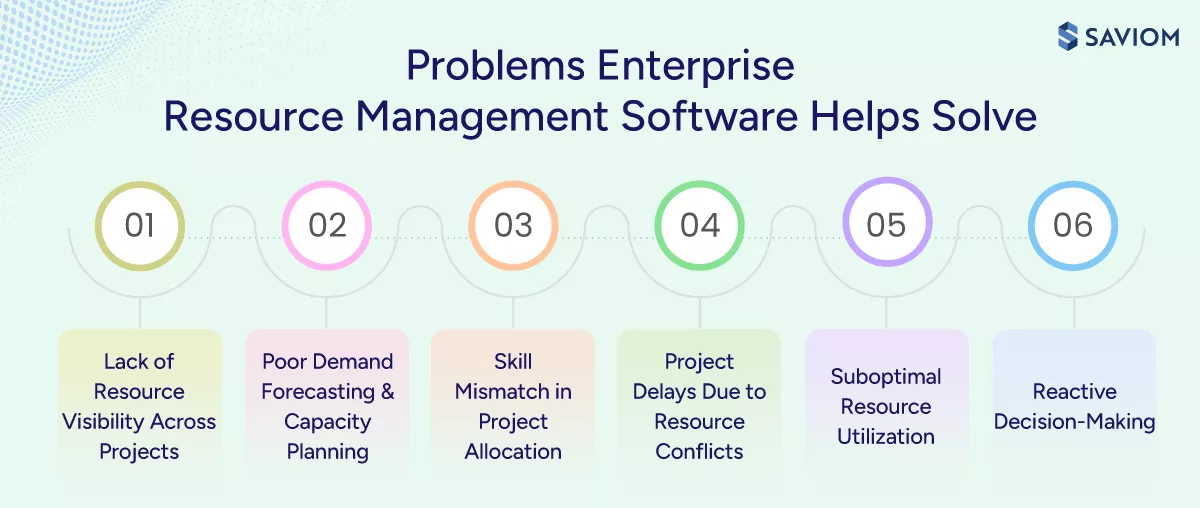
Lack of Resource Visibility Across Projects
When delivery managers cannot see portfolio-wide allocations in one place, resource planning becomes fragmented, and conflicts are more likely. On the other hand, centralized visibility helps reduce duplicate bookings, overlapping assignments, and last-minute staffing issues by creating a single view of resource availability, allocation, and workload.
Poor Demand Forecasting and Capacity Planning
Lack of visibility into upcoming project demand leads to inaccurate forecasting and reactive capacity planning. Additionally, managers may commit to new work before checking whether the required capacity is actually available. Enterprise resource management software solves this by giving leaders forward-looking visibility into demand and capacity, enabling proactive project planning.
Skill Mismatch in Project Allocation
When managers lack clear visibility into employees’ skills and competencies, they often assign available resources instead of the most suitable ones. This leads to lower employee productivity, inconsistent quality, and more rework. Enterprise resource management software helps prevent this by matching the right resource to the right project based on skills, availability, roles, cost rate, and other metrics.
Project Delays Due to Resource Conflicts
Resource conflicts often happen when multiple projects need the same people at the same time, and teams lack effective coordination. These conflicts lead to project delays, missed deadlines, and added pressure on client relationships. Enterprise resource management software helps teams identify and resolve these conflicts early through real-time visibility into workload and availability.
Suboptimal Resource Utilization
Without structured utilization tracking, organizations often struggle to identify underutilized and overallocated resources. This creates a workload imbalance, reduces employee productivity, increases the risk of burnout, and leads to prolonged bench time. ERM software helps solve this by providing real-time utilization insights that help organizations balance workloads and improve workforce efficiency.
Reactive Decision-Making
When organizations lack visibility into future resource requirements, they struggle to identify skill gaps early. As a result, leaders make reactive decisions, which leads to last-minute firefighting and weak workforce planning. Enterprise resource management software prevents this by providing forward-looking insights that support proactive redeployment, retraining/upskilling, and hiring decisions.
Having reviewed the key business problems ERM software helps solve, the next step is to understand why enterprises need a structured software evaluation checklist.
Why Do Enterprises Need a Structured Software Evaluation Checklist?
Enterprise software selection is not just a procurement exercise. It is a business decision that affects how an organization can strategically plan, allocate, and deliver work at scale. Let’s see why a structured checklist is important:
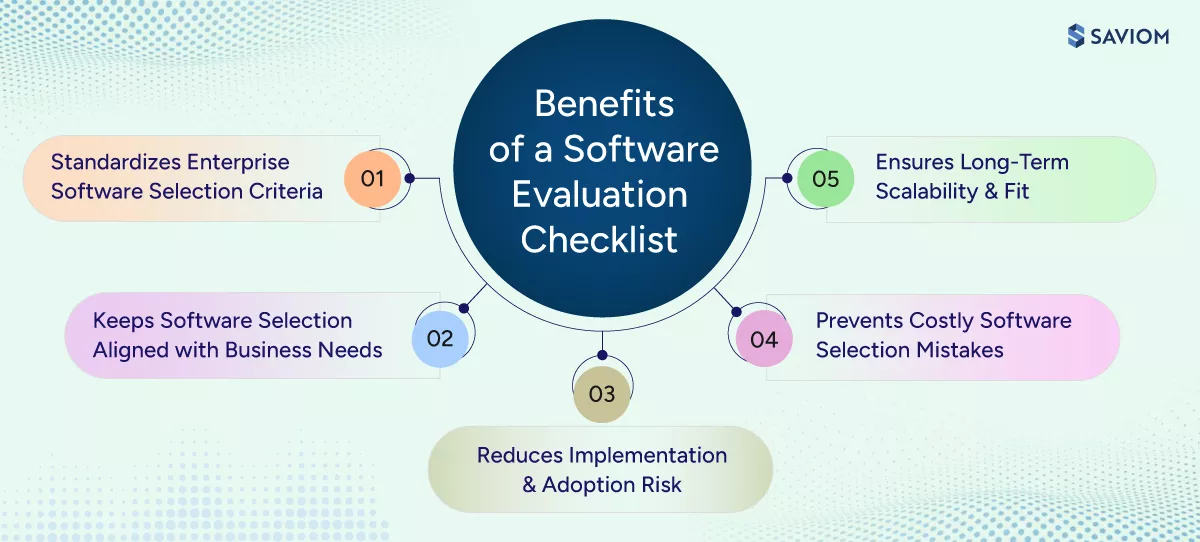
Standardizes Enterprise Software Selection Criteria
A checklist helps organizations evaluate all vendors against the same enterprise requirements and benchmarks. It gives teams a consistent framework to assess tool features, capabilities, and overall fit with greater clarity and less ambiguity. As a result, enterprises can compare solutions objectively and make confident software selection decisions.
Keeps Software Selection Aligned with Business Needs
The checklist keeps the evaluation focused on business objectives, operational efficiency, and core resource management requirements rather than just feature comparisons. It helps organizations select a solution that supports current workflows, delivery models, and enterprise-level planning needs. Consequently, the final decision is more closely aligned with how the business actually operates.
Reduces Implementation and Adoption Risk
A structured checklist encourages teams to assess implementation complexity, configuration effort, and rollout requirements during the software selection process. It also helps identify potential adoption challenges such as usability issues, training needs, and change resistance early. As a result, organizations can reduce rollout risk and improve the likelihood of successful adoption.
Prevents Costly Software Selection Mistakes
According to a Gartner report, “80% of enterprise technology decisions lead to post-purchase regret.”
A formal checklist ensures teams evaluate all critical requirements upfront, which reduces the risk of overlooking important capabilities or constraints during vendor selection. It also helps organizations avoid investing in a solution that later requires expensive customization, workarounds, or replacement. Consequently, software selection becomes more thorough and financially sound.
Ensures Long-Term Scalability and Fit
The checklist helps organizations evaluate whether the solution can support business growth, increasing project complexity, and expanding teams. It also helps determine whether the software can continue to perform effectively without requiring frequent tool changes. This supports stronger long-term fit and scalability.
Having established the importance of a structured software evaluation checklist, let’s look at the key components it should include.
What Should the Enterprise Resource Management Software Checklist Include?
Many buying teams focus heavily on visible features during evaluation. However, enterprise software decisions also depend on operational factors such as business fit, planning depth, technical compatibility, and vendor strength. A strong checklist brings all of these elements together to support a more complete assessment. Let’s look at the key components it should include:
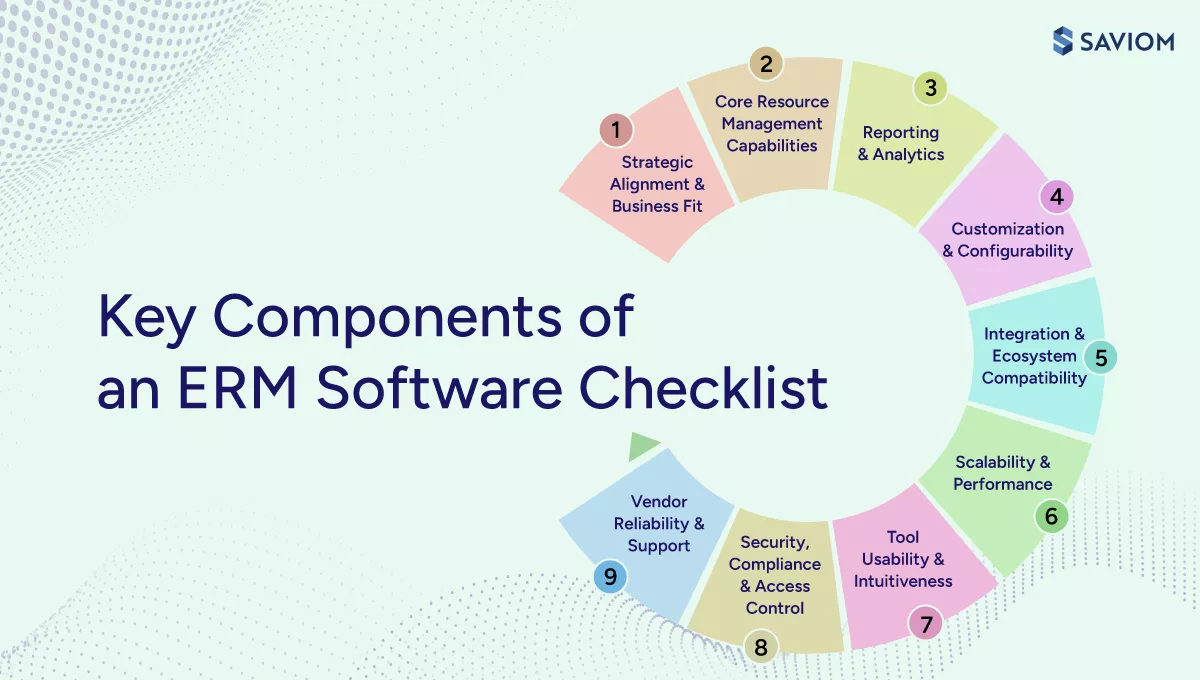
Strategic Alignment and Business Fit
The checklist should confirm whether the software fits the organization’s business priorities and delivery model. It should:
- Ensure the platform fits existing delivery models and planning processes without creating unnecessary workarounds.
- Check whether it can improve outcomes such as business profitability, resource utilization, delivery predictability, and workforce agility.
Core Resource Management Capabilities
The checklist should cover the core resource management capabilities the platform must support at enterprise scale. It should include:
- Enterprise-Wide Resource Visibility: Ensure the platform provides a centralized, real-time view of resource availability, allocation, workload, and skills across portfolios, teams, and geographies.
- Demand Forecasting Capabilities: Evaluate whether the software can forecast future demand using pipeline inputs, confirmed work, and historical trends to support resource planning proactively.
- Resource Capacity Planning: Check whether the solution compares forecasted demand against available resource capacity across roles, teams, and time periods.
- Resource Allocation and Scheduling: Assess how well the platform supports resource scheduling, soft booking, hard booking, conflict resolution, and priority-based allocations.
- Resource Utilization Tracking: Ensure the system tracks utilization clearly, including billable and non-billable work, so managers can improve the resource health index and productivity.
- Scenario Planning: Evaluate whether the software allows leaders to model different scenarios, such as shifting priorities, project scope changes, and unplanned employee absenteeism, before making resourcing decisions.
Reporting and Analytics
Reporting capabilities should help both operational teams and leadership make informed planning decisions. The checklist should:
- Evaluate whether the platform offers business intelligence dashboards for forecast variance, capacity gaps, utilization rate, bench time, and project profitability.
- Check whether reports support both day-to-day staffing decisions and higher-level portfolio governance.
- Ensure the analytics are accessible and actionable without forcing teams to rely on spreadsheets or external reporting tools.
Customization and Configurability
The checklist should evaluate if the platform can adapt to enterprise needs without requiring excessive customization. It should:
- Assess whether workflows, approval paths, roles, and resource attributes can be configured to match business processes.
- Evaluate how easily internal teams can manage and update these configurations without heavy reliance on vendor support or custom development.
Integration and Ecosystem Compatibility
The checklist should assess how well the software fits into the broader enterprise technology landscape. It should:
- Check whether it integrates with core systems such as ERP, HRIS, PSA, CRM, and project management tools.
- Evaluate API availability, data flow flexibility, and the ease of connecting the platform with the existing tech stack.
- Ensure integration quality supports a connected planning environment instead of creating duplicate data or manual reconciliation work.
Scalability and Performance
The checklist should assess whether the platform can remain effective as the organization grows. It should:
- Assess whether the platform can support increasing users, projects, and planning complexity without performance issues.
- Evaluate system responsiveness, reliability, and loading speed under higher data volumes.
- Ensure the software can scale with business growth without requiring frequent process or platform changes.
Tool Usability and Intuitiveness
Ease of use plays a major role in adoption and long-term success. Hence, the checklist should:
- Evaluate how easily users can complete everyday tasks such as finding capacity, allocating resources, or reviewing utilization.
- Ensure the platform supports adoption by making resource management easier, not more administratively burdensome.
Security, Compliance, and Access Control
The checklist should verify whether the platform meets enterprise security, compliance, and governance requirements. It should:
- Evaluate security measures such as encryption, audit trails, and role-based access control.
- Ensure the platform can protect sensitive resource and project data while meeting internal compliance expectations.
Vendor Reliability and Support
The checklist should assess whether the vendor can provide reliable support and long-term stability. It should:
- Assess the vendor’s product maturity, release consistency, and clarity of future product plans.
- Evaluate the level of implementation assistance, training, and ongoing customer support available.
- Ensure the vendor can continue to support the organization as business needs and planning complexity grow.
Read our comprehensive eBook to learn how 5th gen resource management can increase overall visibility, optimize utilization, and strengthen business profitability.

Now that we have outlined the key components of the checklist, let’s look at how to create one in a structured and practical way.
How to Create an Enterprise Resource Management Software Checklist?
A rushed checklist can lead to inconsistent demos, subjective scoring, and costly misalignment later in the selection process. In contrast, a well-defined checklist improves the quality of the software evaluation and the final decision. Let’s look at the steps to create one:
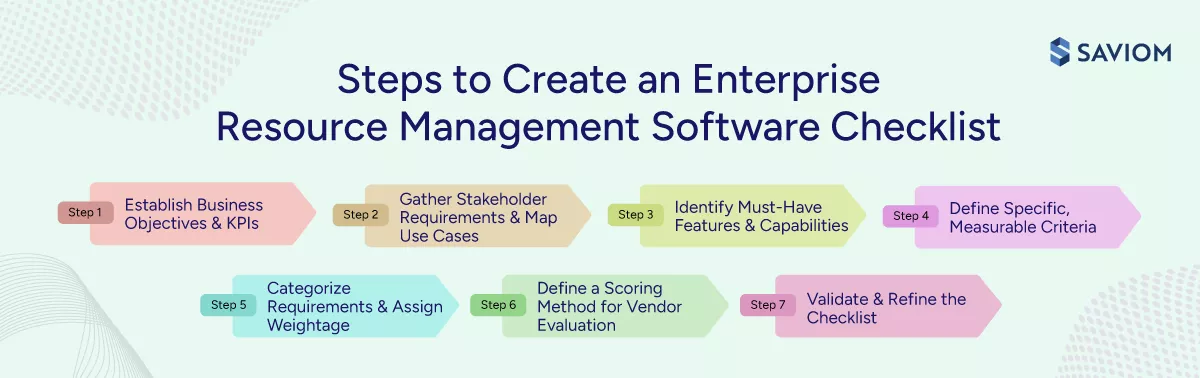
Step 1: Establish Business Objectives and KPIs
Organizations should begin by defining the business outcomes they expect from the software, such as higher utilization, fewer project delays, better forecast accuracy, lower bench time, or improved project profitability. Then leaders can translate these objectives into measurable KPIs. This helps keep the software evaluation aligned with clear business results.
Step 2: Involve Stakeholders in Requirement Gathering & Map Use Cases
According to a Forrester survey, “89% of B2B purchases involve two or more departments, with 13 people involved in the buying decision on average.”
With that in mind, now organizations should gather detailed input from all relevant stakeholders and translate it into clearly defined use cases, workflows, and real-world scenarios. This ensures that the checklist captures both strategic goals and day-to-day operational needs to reflect how the software will actually be used in practice.
Step 3: Identify Must-Have Features and Capabilities
Next, firms must identify and prioritize the capabilities the software must support, such as forecasting, capacity planning, resource allocation, utilization tracking, and reporting. Then they should define the integration and technical requirements, including compatibility with existing systems. This helps ensure the platform can support operational efficiency and evolving business requirements.
Step 4: Define Specific and Measurable Criteria
Here, organizations should define clear, measurable software evaluation criteria across key areas such as usability, adoption, performance, and functionality. This helps teams compare solutions more objectively and account for factors such as ease of use, onboarding effort, and role-based accessibility.
Step 5: Organize Requirements into Evaluation Categories & Assign Weightage
Next, firms should group tool requirements into categories, such as planning, visibility, analytics, integration, and security, and assign appropriate weightage based on business priorities. This helps create a structured checklist that simplifies vendor comparison and decision-making.
Step 6: Define a Scoring Method for Vendor Evaluation
Then, organizations should define a structured scoring method to assess vendors across all evaluation criteria, using the assigned weightage to reflect business priorities. This helps organizations compare vendors consistently based on overall fit, rather than making decisions based on isolated strengths or strong demo performance.
Step 7: Validate and Refine the Checklist
Finally, organizations should review the checklist with stakeholders and refine it based on their feedback. This helps ensure the checklist is complete, aligned across teams, and ready to support a more effective vendor evaluation process.
With the checklist in place, the next step is to understand how teams can use it effectively during the internal evaluation process.
How to Use the Software Checklist Internally?
The checklist creates value only when teams use it consistently during the evaluation process. Organizations can use it to align stakeholders, structure vendor assessments, and turn evaluation insights into a decision that is easier to justify and implement. Let’s look at how to use it internally:
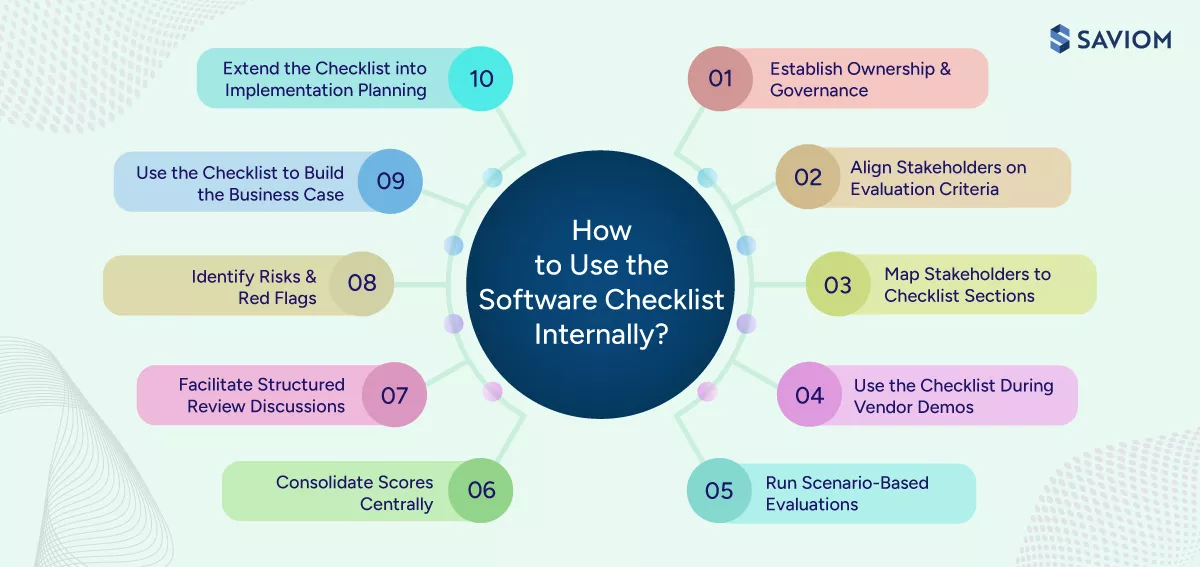
Establish Ownership and Governance
Managers should define clear ownership of the checklist by assigning roles and responsibilities for managing, updating, and driving the evaluation process. Clear ownership keeps the evaluation process organized as more stakeholders become involved. It also strengthens accountability and governance throughout the vendor selection process.
Align Stakeholders on Evaluation Criteria
Here, organizations must ensure all stakeholders agree on the software evaluation criteria, business priorities, and scoring approach before assessments begin. This early alignment reduces the risk of teams assessing vendors from different perspectives. The result is a more consistent and unbiased software evaluation framework.
Map Stakeholders to Checklist Sections
Now, organizations should assign specific checklist sections to the stakeholders best suited to evaluate them based on their expertise and functional roles. This brings more relevant input into each part of the assessment. It also improves the depth and accuracy of the overall evaluation.
Use the Checklist During Vendor Demos
Next, teams must apply the checklist in real time during vendor demonstrations to assess tool capabilities against the defined criteria. Doing this keeps the evaluation process structured and evidence-based. Teams can then compare solutions more consistently without relying on memory or post-demo impressions.
Run Scenario-Based Evaluations
Stakeholders should now test vendors against real-world use cases and business scenarios drawn from actual workflows. These realistic scenarios show how well the software performs in day-to-day operations and help uncover gaps that standard product demos may not reveal.
Consolidate Scores Centrally
Organizations must bring all stakeholder inputs and scores into a centralized system for comparison and analysis. This holistic view improves transparency across the software evaluation process, offering teams a single source of truth for decision-making.
Facilitate Structured Review Discussions
Here, stakeholders should conduct structured discussions to review scores, address differences, and align on final evaluations. These discussions help teams interpret scoring in context rather than relying only on totals. Moreover, it improves decision quality by combining quantitative scoring with qualitative stakeholder insight.
Identify Risks and Red Flags
In this step, teams can highlight the risks, limitations, and gaps identified during the software evaluation process. Early visibility into these issues allows teams to address concerns before making a final decision. This supports more informed vendor selection and lowers the chance of avoidable problems later.
Use the Checklist to Build the Business Case
Organizations should use software evaluation data and findings to justify the vendor selection and expected business impact. By grounding the recommendation in clear evidence, teams can explain the decision to leadership more convincingly. This builds stakeholder confidence and supports internal approval.
Extend the Checklist into Implementation Planning
Finally, teams must use the outputs from the checklist to inform implementation strategy, onboarding, and change management. This helps teams apply evaluation insights during software implementation rather than treating selection and deployment as separate efforts. It also creates continuity from vendor evaluation to system rollout.
Explore how SAVIOM helps teams improve visibility, make better resource planning decisions, and optimize utilization. Book your free demo today.

Having defined how teams can use the checklist internally, the next step is to identify the key questions to ask software vendors before making a purchase decision.
Questions to Ask Software Vendors Before Buying
Vendor demos often focus on what the software can do, but not always on where limitations may exist. However, asking the right questions helps buyers evaluate capability depth, implementation fit, and long-term suitability more thoroughly. Let’s look at the key questions to ask before making a purchase decision:
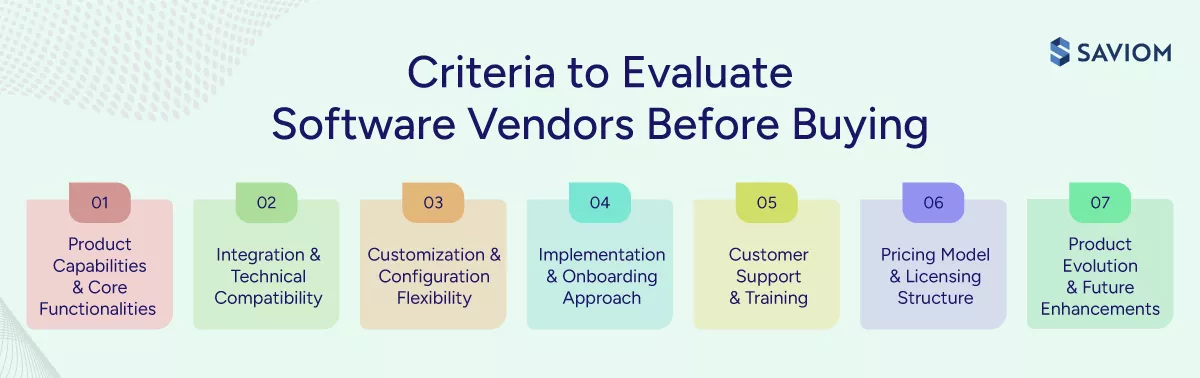
Product Capabilities and Core Functionalities
This set of questions helps assess whether the software can support the organization’s core resource management needs.
- Does the software support essential capabilities such as resource forecasting, capacity planning, allocation, and utilization tracking?
- How does the platform provide real-time visibility into resource availability, workload, and project demand across teams?
- Does the solution support scenario planning, reporting, and other capabilities needed for enterprise resource management?
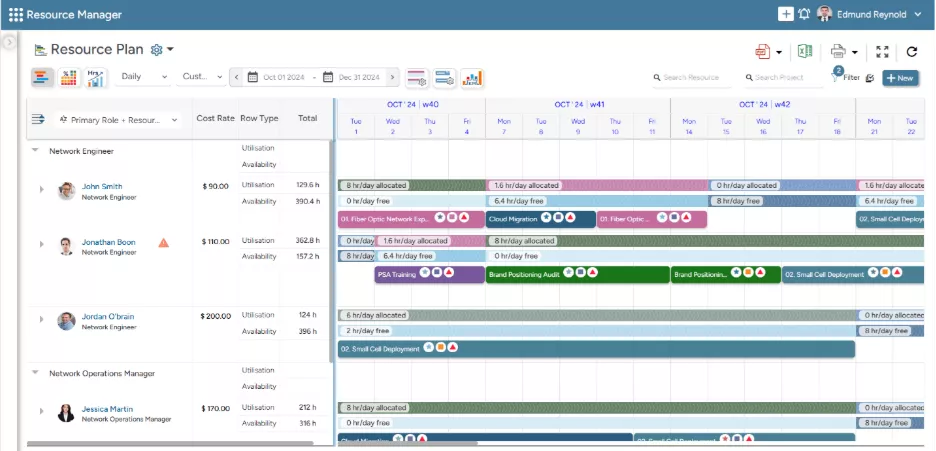 SAVIOM’s All-in-One Resource Planner provides 360-degree visibility across various resource attributes.
Integration and Technical Compatibility
These questions assess how well the software can fit into the existing enterprise technology environment.
- Does the software integrate with core systems such as ERP, CRM, HRIS, PSA, and project management tools?
- What APIs, middleware options, or prebuilt connectors are available to support data exchange across systems?
Customization and Configuration Flexibility
These questions help evaluate whether the platform can adapt to the organization’s operating model.
- Can the platform be configured to match your workflows, resource structures, roles, and approval processes?
- How much of this configuration can internal teams manage without heavy vendor involvement or custom development?
- How easily can the platform adapt as business requirements, planning models, or governance needs change over time?
Implementation and Onboarding Approach
These questions clarify what deployment will involve and how much support the vendor will provide during rollout.
- What implementation methodology does the vendor follow, and what timelines should be expected for deployment?
- What level of support does the vendor provide during software implementation, including setup, migration, and rollout?
Customer Support and Training
These questions help buyers assess the level of support available after implementation and during ongoing use.
- What ongoing support does the vendor provide, including SLAs, escalation processes, and response timelines?
- What training resources are available, such as documentation and role-based guidance for different user groups?
- Is dedicated account support available for enterprise customers?
Pricing Model and Licensing Structure
These questions help enterprises understand the full cost of ownership and expected return on investment.
- What is the total cost of ownership, including licensing, implementation, training, support, and ongoing administration?
- How does pricing change as users, projects, or business needs scale over time?
- How does the vendor define and measure ROI through efficiency gains, improved utilization, or reduced project delays?
Product Evolution and Future Enhancements
These questions show whether the platform can continue to support the organization as needs evolve over time.
- How frequently does the vendor release product updates and feature enhancements?
- What innovation areas are currently being developed, such as AI-assisted forecasting, skills intelligence, or predictive planning?
- How well does the product roadmap align with long-term business needs and evolving resource management requirements?
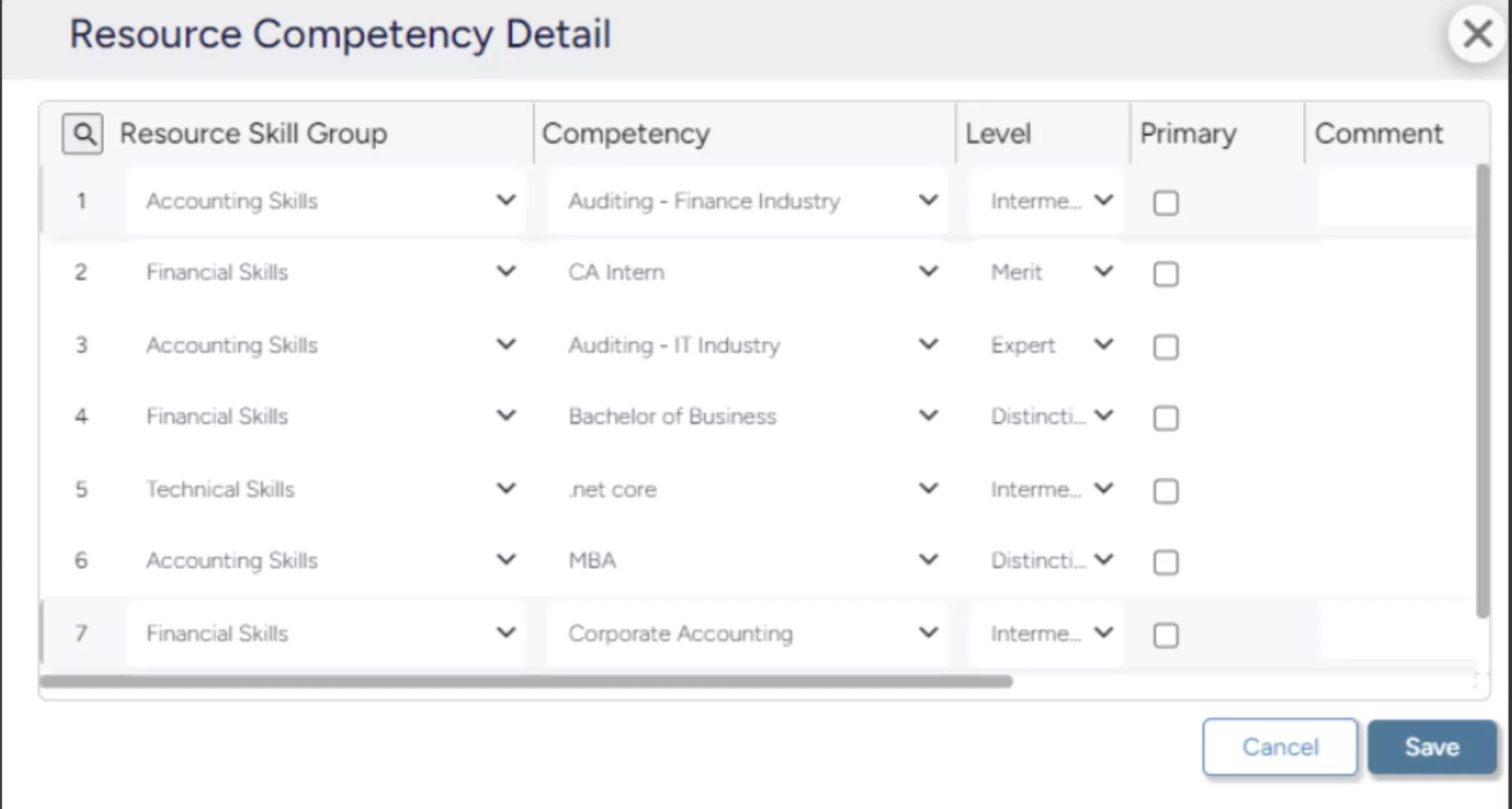 SAVIOM’s Competency Matrix enables managers to track skills, certifications, and proficiency levels, helping identify skill gaps and plan targeted reskilling initiatives.
These questions matter because software selection is ultimately a test of operational fit. Asking them thoroughly helps enterprises assess whether the platform can support delivery predictability, reliable resource management, and long-term scalability.
Conclusion
A structured enterprise resource management software checklist brings discipline to one of the most important software decisions for project- and services-driven organizations. It converts broad preferences into measurable evaluation criteria, aligns stakeholders around a common decision framework, and reduces the risk of selecting a solution that performs well in demos but fails to scale in practice.
It also shifts the evaluation from feature comparison to business outcomes, including forecast accuracy, stronger utilization, lower bench time, fewer resource scheduling conflicts, and improved project profitability. In a business environment shaped by skill volatility, transformation pressure, and constant reprioritization, that level of evaluation discipline creates a clear strategic advantage.
Enterprise Resource Management Software Checklist FAQs
Enterprise resource management software is a centralized platform that helps organizations plan, allocate, and optimize resources across projects and business units. It gives teams real-time visibility into resource capacity, availability, skills, and demand, helping them make informed decisions, improve allocation, and balance workload.
Enterprise resource management software solves the following problems:
1. Lack of resource visibility across projects
2. Poor demand forecasting and capacity planning
3. Skill mismatch in project allocation
4. Project delays due to resource conflicts
5. Suboptimal resource utilization
6. Reactive decision-making
A structured software evaluation checklist is important for enterprises because it:
1. Standardizes enterprise software selection criteria
2. Keeps software selection aligned with business needs
3. Reduces implementation and adoption risk
4. Prevents costly software selection mistakes
5. Ensures long-term scalability and fit
An enterprise resource management software checklist should include:
1. Strategic alignment and business fit
2. Core resource management capabilities
3. Reporting and analytics
4. Customization and configurability
5. Integration and ecosystem compatibility
6. Scalability and performance
7. Tool usability and intuitiveness
8. Security, compliance, and access control
9. Vendor reliability and support
To create an enterprise resource management software checklist:
Step 1: Establish business objectives and KPIs
Step 2: Involve stakeholders in requirement gathering & map use cases
Step 3: Identify must-have features and capabilities
Step 4: Define specific and measurable criteria
Step 5: Organize requirements into evaluation categories & assign weightage
Step 6: Define a scoring method for vendor evaluation
Step 7: Validate and refine the checklist
To use a software checklist internally, enterprises must:
1. Establish ownership and governance
2. Align stakeholders on evaluation criteria
3. Map stakeholders to checklist sections
4. Use the checklist during vendor demos
5. Run scenario-based evaluations
6. Consolidate scores centrally
7. Facilitate structured review discussions
8. Identify risks and red flags
9. Use the checklist to build the business case
10. Extend the checklist into implementation planning
Enterprises should consider the following criteria before buying resource management software:
1. Product capabilities and core functionalities
2. Integration and technical compatibility
3. Customization and configuration flexibility
4. Implementation and onboarding approach
5. Customer support and training
6. Pricing model and licensing structure
7. Product evolution and future enhancements