


Resource Capacity Planning Software
Balance Capacity With Demand. Prepare for What’s Ahead.
Align capacity with changing demand using deeply configurable software for medium-to-large organizations—identify gaps, evaluate scenarios, and make better decisions with AI-powered Enterprise Intelligence.
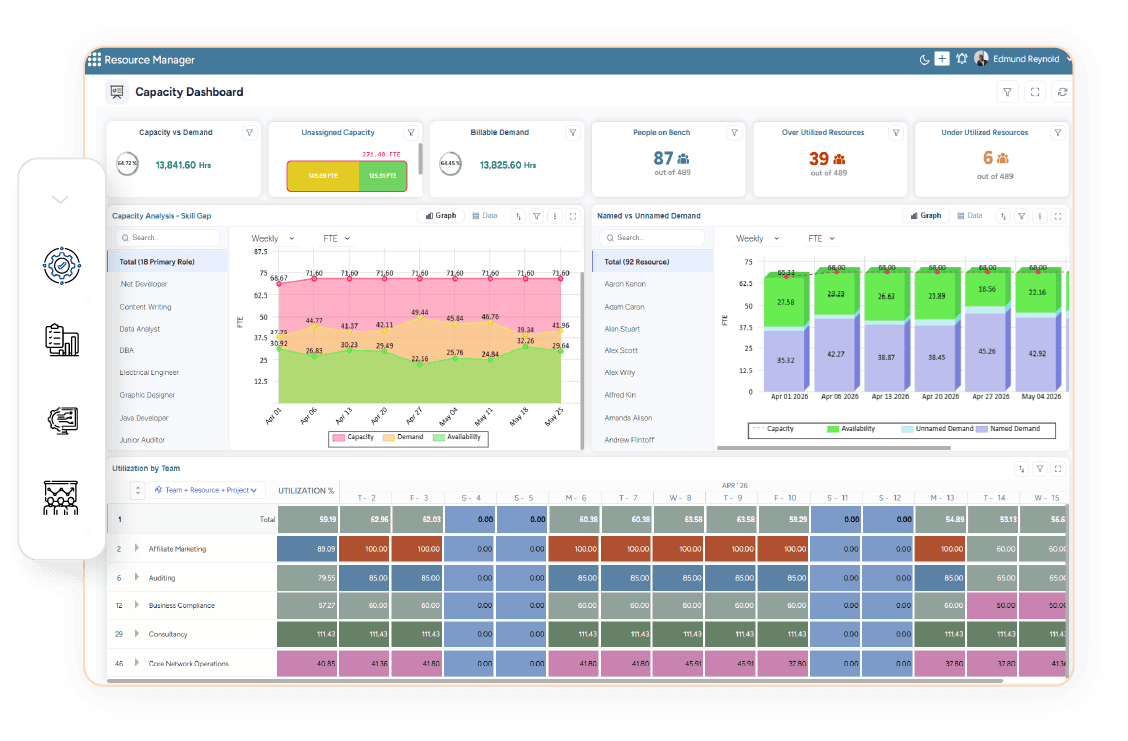
Capacity Planning for Complex Project-Based Organizations
Configure capacity planning around your structure, roles, skills, resource pools, and rules—then analyze demand and capacity across the organization.
20+ Years of Expertise | 50+ Countries | 100+ Global Enterprises









Built for Growing Complexity. Proven at Enterprise Scale.
See Capacity Gaps Before They Constrain Delivery

Changing demand, leave, and skills affect usable capacity. SAVIOM provides forward visibility to identify shortages, surpluses, and skill gaps before they impact delivery.

Demand is Increasing
See where current or future demand could exceed available capacity.
Capacity is Becoming Constrained
Identify resource groups, roles, or skills where capacity may become insufficient.
Surplus Capacity is Emerging
Recognize where available capacity could exceed expected demand.
Skills are Misaligned
Understand where capacity exists but may not match the roles or skills required.
Capacity Conditions are Changing
See how changing demand, availability, and assignments could alter the capacity outlook.
See Imbalances Earlier. Make Better Capacity Decisions Sooner.
Plan Capacity Across the Complete Resource Environment
Bring resource demand, capacity, skills, and availability together to understand where capacity is aligned—and where action may be required.
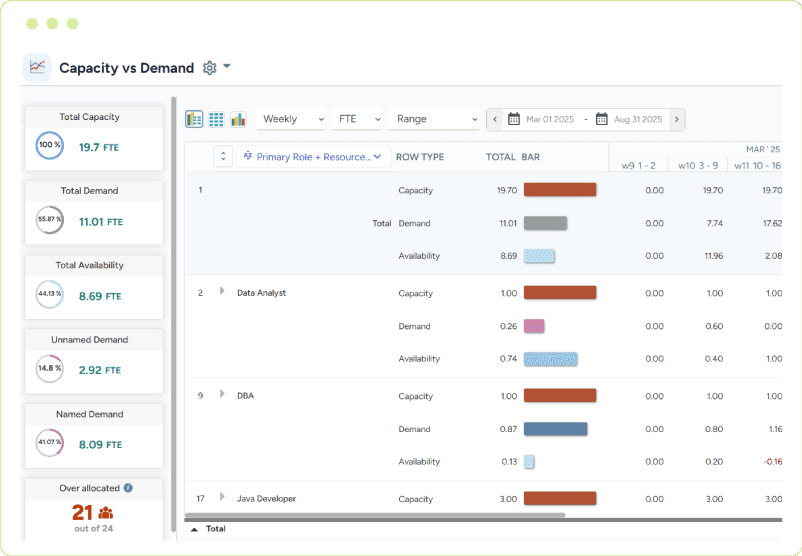
Resource Demand & Capacity Planning
Align Resource Demand With Available Capacity
Compare confirmed, planned, and pipeline demand with current and future capacity across roles, skills, teams, and time periods.
- Confirmed Resource Demand
- Planned & Pipeline Demand
- Current & Future Capacity
- Demand-Capacity Alignment
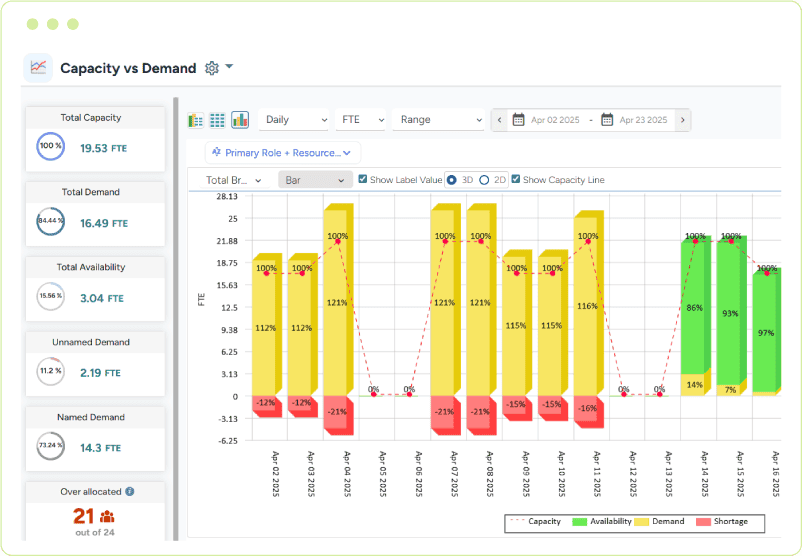
Capacity Gap & Surplus Analysis
Identify Where Capacity Falls Short—or Exceeds Demand
See emerging capacity shortages and surpluses before they create delivery or utilization problems.
- Capacity Gap Identification
- Capacity Surplus Visibility
- Shortage & Excess Analysis
- Gap Timing & Duration
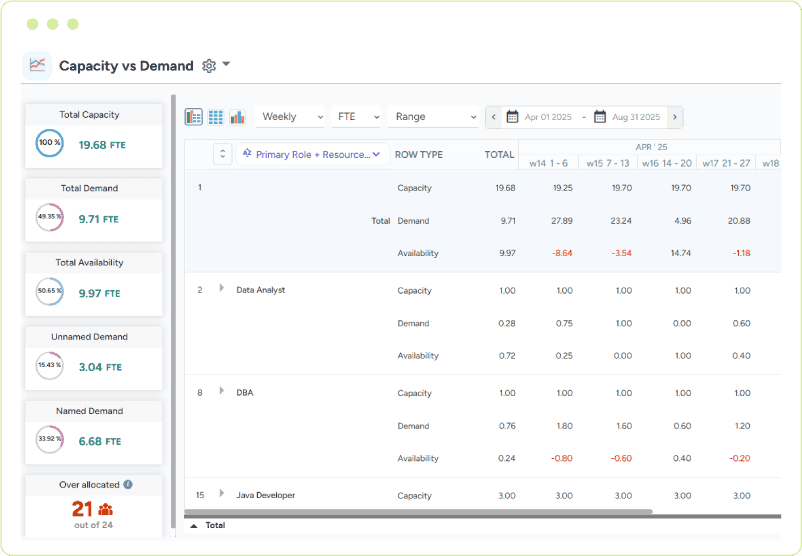
Roles & Skills Capacity Planning
Align Capacity With Required Capabilities
Understand whether available capacity has the roles, skills, and competencies required to meet changing demand.
- Role-Based Capacity
- Skills Capacity
- Capability Gaps
- Skills-Demand Alignment
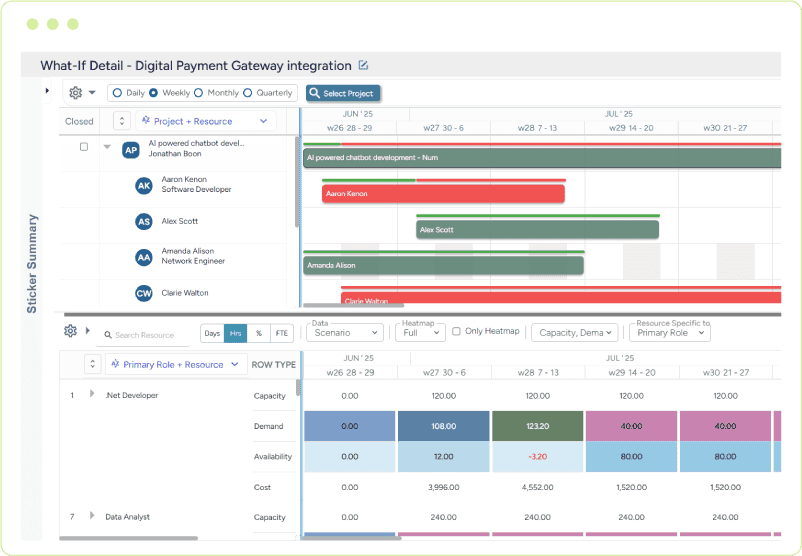
Capacity Scenario Planning
Evaluate Different Capacity Conditions
Model changes in demand, availability, and capacity assumptions to understand how different scenarios could affect future capacity requirements.
- Demand Scenarios
- Capacity Scenarios
- Availability Assumptions
- Scenario Comparison
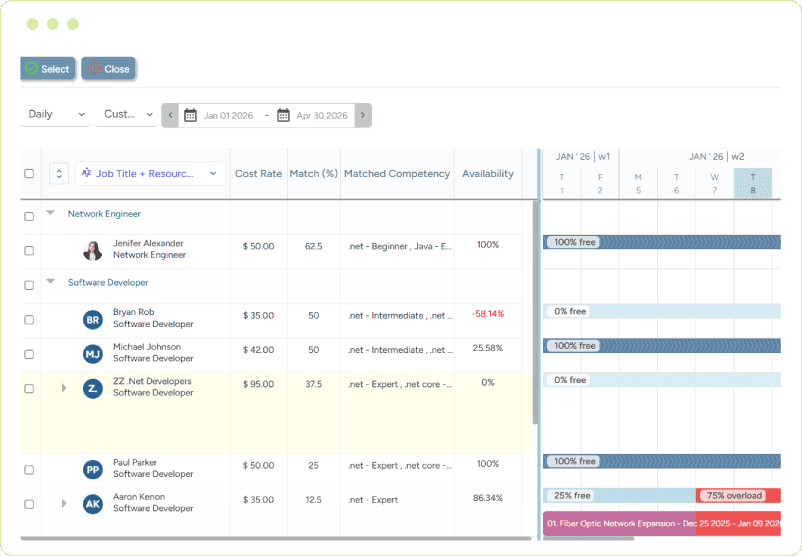
Capacity Response Planning
Evaluate Ways to Address Capacity Gaps
Assess potential responses to emerging shortages or surpluses before making resource commitments.
- Redeployment Options
- Hiring Requirements
- Contractor / External Capacity
- Capacity Adjustment Scenarios
One Forward View Across Demand, Capacity, Skills, and Resource Availability.
How Resource Capacity Planning Works in SAVIOM
Effective capacity planning requires knowing what capacity is needed, what is available, and where gaps may emerge. SAVIOM brings demand and capacity together across roles, skills, and time periods—providing a forward view for better capacity decisions.

Consolidate Demand Inputs
Bring together confirmed, planned, and probability-weighted resource requirements.
Calculate Available Capacity
Account for working calendars, assignments, allocation levels, leave, and other commitments.
Compare Roles and Skills
Determine whether available capacity matches the required capabilities.
Identify Gaps and Surpluses
Quantify the amount, timing, duration, and location of each imbalance.
Model Capacity Scenarios
Test changes to demand, availability, hiring, contractors, and project timing.
Evaluate Response Options
Compare actions based on delivery, utilization, cost, and workforce impact.
Apply Enterprise Intelligence
Surface emerging imbalances, explain their drivers, and identify actions for users to evaluate.
From Resource Demand to Capacity Decisions—All in One Forward View.
Explore What-If Capacity Scenarios
Model changing project demand, availability, and capacity assumptions to understand their impact before making capacity commitments.
Change Demand Assumptions
See how changing work, volume, or timing affects capacity needs.
Adjust Resource Availability
See how changing availability affects future capacity.
Model Capacity Changes
Explore hiring, contractors, redeployment, and other capacity options.
Compare Capacity Scenarios
Compare alternatives and understand their impact before deciding.
Resource Capacity Planning That Adapts to Your Business
Configure capacity planning around your organizational structure, resource model, planning horizons, business rules, and decision-making requirements.

Configure Planning Horizons
Plan capacity across the time periods appropriate to different teams and business requirements.

Reflect Your Organization
Analyze capacity across business units, departments, teams, locations, resource pools, and other organizational dimensions.

Model Your Capacity Structure
Define capacity using the roles, skills, competencies, resource attributes, and working patterns relevant to your organization.

Apply Your Business Rules
Incorporate organizational rules, assumptions, thresholds, and planning parameters into capacity analysis.

Deliver Role-Based Views
Give resource managers, project leaders, and executives capacity information relevant to their responsibilities.

Your Resource Model. Your Capacity Logic. Your Planning Environment.
Bring Intelligence Into Every Capacity Decision
Intelligence Should Find the User—Not the Other Way Around.
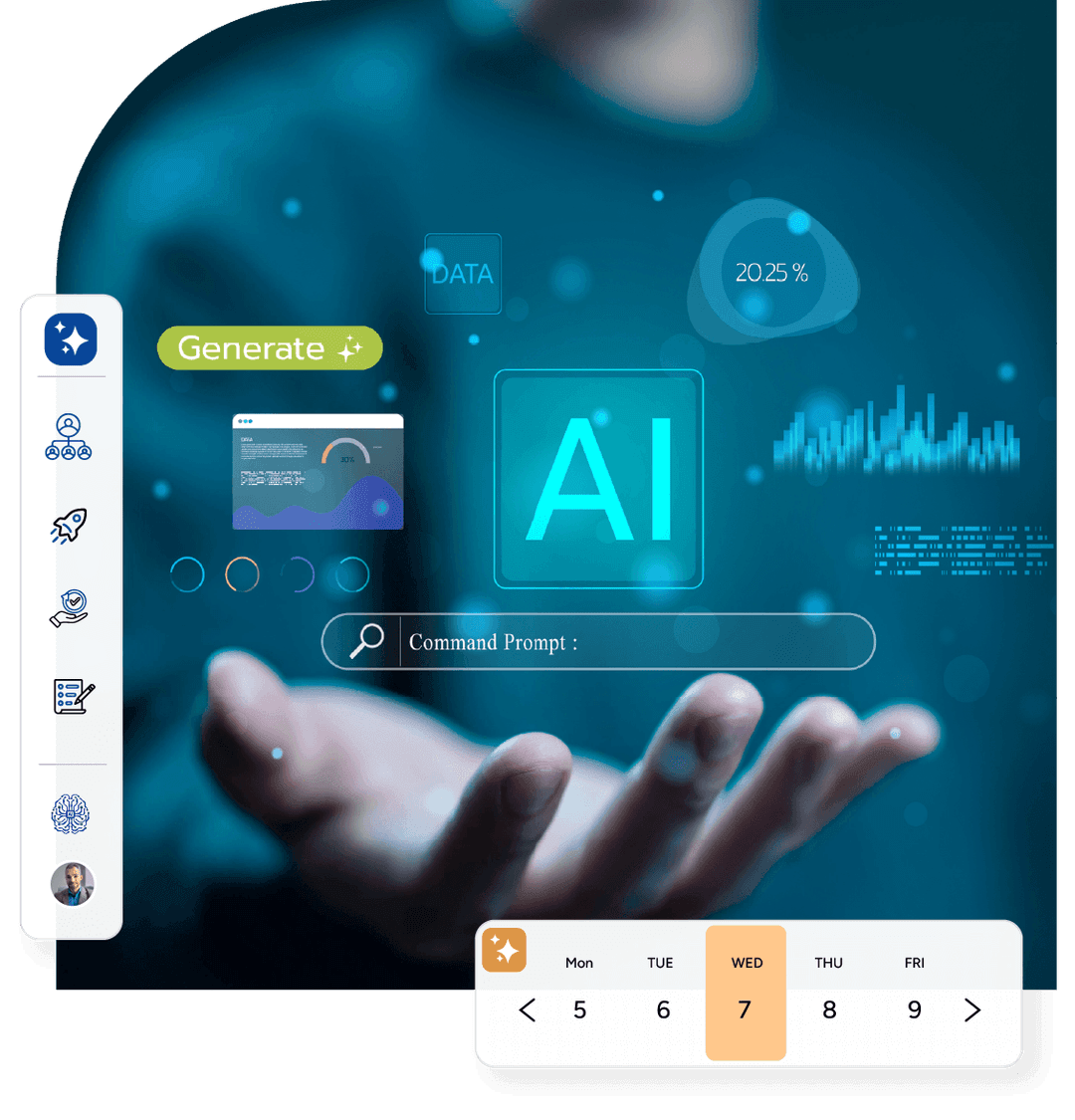
SAVIOM brings AI-powered Enterprise Intelligence into Resource Capacity Planning—surfacing emerging gaps, important changes, insights, recommendations, and opportunities where capacity decisions happen.

Early Warning
See emerging capacity constraints earlier:
Cloud Engineering capacity is projected to fall 12% below confirmed demand next month.
Requires Attention
Know what needs attention now:
Three specialist roles show sustained capacity shortages over the next eight weeks.
Insight
Understand what is driving the imbalance:
Most of the projected capacity gap is concentrated across two specialist roles and three priority projects.
Recommendation
Know what actions to consider:
Review upcoming assignment completions and available adjacent skills before adding external capacity.
Opportunity
Discover capacity opportunities earlier:
Available capacity across two teams could support upcoming demand before additional hiring is required.
Relevant Capacity Intelligence. Right Where Decisions Happen.
Go Deeper With AI Capacity Planning
Explore how AI-powered intelligence can help surface, explain and contextualize capacity risks, insights, recommendations, and opportunities.
Explore AI Capacity Planning


Stay Ahead of Changing Capacity Needs
See how SAVIOM can help your organization align resource capacity with changing demand, identify gaps and surpluses, evaluate scenarios, and make better capacity decisions earlier.
Turn Better Capacity Decisions Into Better Business Outcomes
Aligning capacity with demand helps organizations improve readiness, reduce resource inefficiency, and make better workforce investment decisions.

Minimize Capacity Shortages
Identify and address emerging capacity gaps before they put delivery at risk.
Reduce Excess Capacity
Recognize surplus capacity earlier and improve opportunities for productive deployment.
Strengthen Delivery Readiness
Ensure upcoming work has sufficient capacity and the required skills when needed.
Improve Capacity Utilization
Better align available capacity with changing demand across teams and time periods.
Make Better Workforce Investment Decisions
Understand where additional capacity may be required before committing to hiring or external resources.
Better Capacity Alignment. Earlier Decisions. More Predictable Delivery.
Explore More Resource Management Software
One Connected Resource Management Lifecycle.
Connect capacity planning with forecasting, scheduling, utilization, and optimization—all within SAVIOM Resource Management Software.

Resource Forecasting Software
Anticipate future demand, availability, skills, and utilization.

Resource Capacity Planning Software
Balance capacity with demand and address emerging gaps.

Resource Scheduling Software
Match and allocate the right resources to the right work.

Resource Utilization Software
Improve productive and billable resource utilization.
Resource Optimization Software
Continuously improve resource deployment and efficiency.
Forecast → Plan Capacity → Schedule → Utilize → Optimize
Proven for Complex Resource Environments



Why Customers Love Us?






Capacity Planning Built for Real-World Complexity.


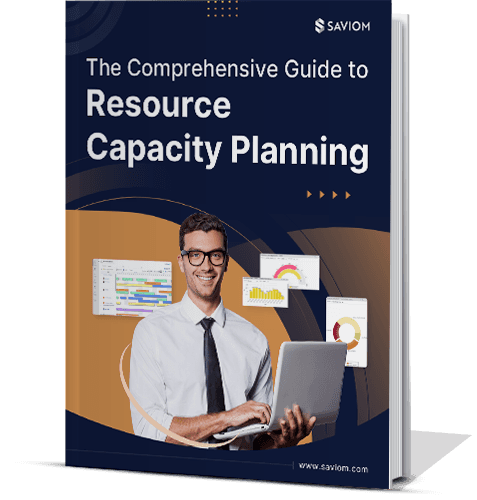
The Comprehensive Guide to Resource Capacity Planning
Our Insightful eBooks
Frequently Asked Questions
What is resource capacity planning software?
How does SAVIOM determine resource demand for capacity planning?
How does SAVIOM determine available resource capacity?
What does SAVIOM resource capacity planning software help organizations manage?
Can tentative and probability-weighted demand be included?
How does resource capacity planning differ from resource scheduling?
Can SAVIOM identify future capacity gaps and surpluses?
Can SAVIOM support what-if capacity planning?
Can capacity planning be configured around our organization?
How does SAVIOM use AI and Enterprise Intelligence in resource capacity planning?


Book a 60-Day Free Trial
See how intuitive our solution is by booking a free trial, customized as per your business needs