


Introduction
Remote work opens the door to wider talent pools, round-the-clock coverage, and lower location-related costs. However, when employees work across different regions and time zones, coordination gets harder to manage. The result: communication gaps, delayed approvals and duplicated work that slow down progress.
That is where the best tools for remote teams become essential. They connect resource management, team communication, file sharing, and performance visibility in one place. Yet every platform serves a different purpose; therefore, organizations must choose a tool that fits their team's structure, workflows, and operational requirements.
In this blog, we compare leading remote team tools to help you choose a platform that keeps distributed employees aligned, productive, and accountable.
Best Tools for Remote Teams: A Quick Glance
Remote work tools support various functions, ranging from communication and video meetings to project management, file sharing, time tracking, workforce planning, and employee engagement. Each platform offers distinct strengths based on specific team requirements. The table below compares their ideal use cases, key features, and free trial or demo availability to help you choose the best fit for your business needs.
 Medium to large organizationsCentralized workforce visibility, role-based access, real-time utilization tracking, in-built collaboration, customizable dashboards, resource requesting, time management60-day free trial and personalized demo available
 Small to mid-sized teamsKanban boards, visual workload management, timeline views, workspace calendar, workflow automation, labels and custom fieldsFree plan and Premium free trial available
 Small to mid-sized organizationsTime availability tracking, automated timesheets, productivity monitoring, detailed workforce reporting, workforce analytics14-day trial and free demo available
 Small, mid-sized, and large teamsTask management, collaborative docs, customizable views & dashboards, workload management, real-time progress tracking, team collaborationFree Forever plan and demo available
 Small to mid-sized teamsTime tracking, automated reminders, timesheet management, billable and non-billable hours tracking, activity log, visual reports30-day free trial available
 Mid-sized to large organizationsTask management, Kanban boards, Gantt charts, shared calendars, request forms, workflow automation, time tracking, proofing files and docs, customizable reportsFree 14-day trial available
 Small, mid-sized, and large teamsCentralized team communication, department-level coordination, asynchronous updates, document and knowledge sharing, enterprise searchFree plan and demo available
 Small, mid-sized, and large teamsTask and project planning, visual timelines, goal management, workload planning, approval workflows, process automation, reusable templates and reporting dashboardsFree trial and demo available
 Small, mid-sized, and large teamsWorkload management, time tracking, workflow automation, collaborative whiteboards, Kanban boards, timeline and Gantt views, calendar planning, team updates14-day free trial available
 Small to mid-sized teamsTask and project management, Teamwork Chat, Kanban-style board views, project templates, workload planning, time tracking, performance dashboards30-day free trial available
SAVIOM
Best for: Medium to large organizations.
Pricing: Custom pricing.
Free Trial/Demo: Offers a customized demo and a 60-day free trial.
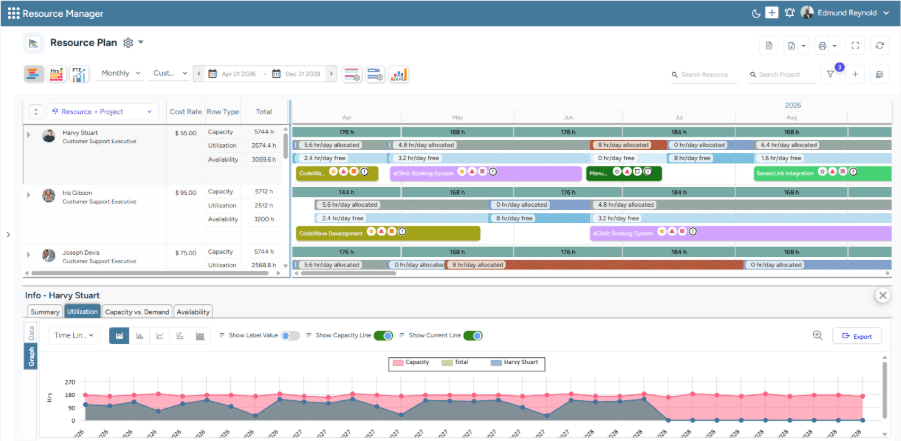
SAVIOM's All-in-One Resource Planner helps visualize current capacity, utilization, and availability in a centralized view.
SAVIOM is an enterprise-grade resource management platform trusted by numerous Fortune 500 companies across more than 50 nations. It helps remote teams coordinate seamlessly across regions by providing centralized visibility into resource availability, skills, workloads, utilization, assignments, cost, and location. Moreover, role-based access ensures that managers and team members can view and manage the information relevant to their responsibilities.
Its built-in collaboration capabilities keep distributed teams aligned on assignments and project requirements, while customizable dashboards highlight relevant workforce metrics for informed decision-making. Integrated timesheets simplify time tracking and help managers monitor employee hours across projects and geographies. Additionally, automated resource requests and approval workflows reduce manual effort, improve coordination, and support faster staffing decisions across remote teams.
Key Features:
- Enterprise-wide workforce visibility
- Role-based data access
- Real-time utilization monitoring
- Built-in team collaboration
- Customizable dashboards
- Resource requesting workflows
- Automated timesheet approvals
- Enterprise system integrations
Pros and Cons
 Provides centralized visibility into remote workforce capacity, availability, workloads, and utilization
- Supports automated resource requests, approvals, and workforce processes
- Offers in-built collaboration for distributed teams
- Real-time BI reports and customizable dashboards
- Ensures seamless integration with enterprise systems
 Initial setup may take time due to extensive configurability
- Pricing requires vendor consultation
To learn how to build and lead a productive distributed workforce, read our guide on remote teams.
Trello
Best for: Small to mid-sized teams.
Pricing: The Standard plan is $5 per user/month, the Premium plan is $10 per user/month, and the Enterprise plan is $17.50 per user/month.
Free Trial/Demo: A free plan and free trial are available.
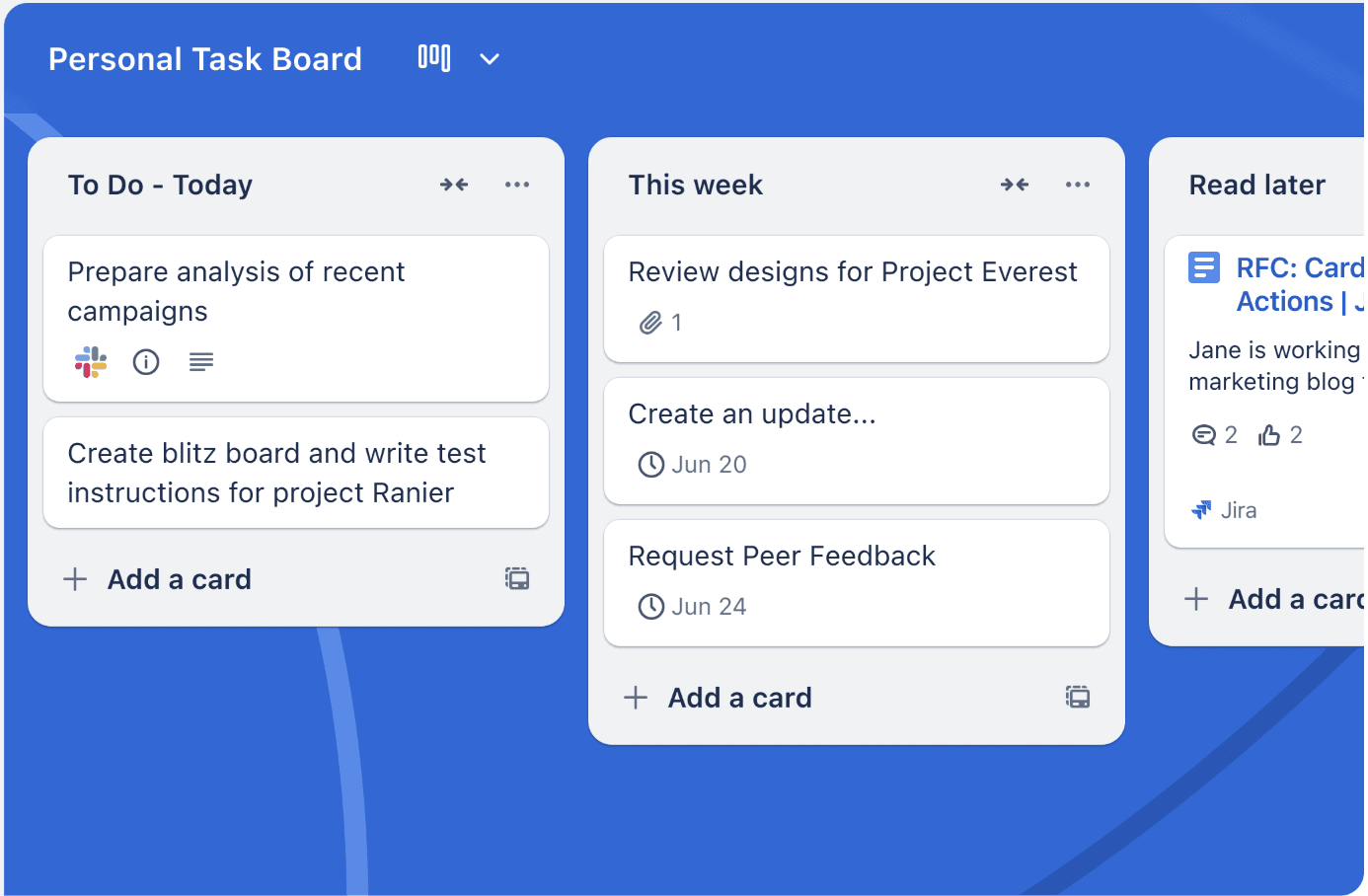
Trello's Personal Task Dashboard visualizes upcoming tasks, deadlines, and priorities to help users organize their daily workload.
Trello is a visual work management tool that helps remote teams organize and track tasks through boards, lists, and cards. Its intuitive interface gives distributed employees a shared view of resource allocation, priorities, due dates, and progress. Therefore, it works well for teams that prefer Kanban-style tracking without the complexity of advanced project-management processes.
Features such as checklists, assignees, comments, attachments, and notifications keep task-related communication connected to the relevant work. Meanwhile, built-in automation reduces repetitive actions such as assigning tasks and sending reminders. Moreover, Power-Up plugin and integrations connect Trello with communication, file storage, calendar, and productivity applications.
Key Features:
- Kanban boards, lists, and cards
- Task assignments and due dates
- Comments and activity tracking
- Calendar and Planner views
- Workflow automation
- Power-Ups and third-party integrations
Pros and Cons
- Offers clear visual overview of task status and ownership
- Provides flexible workflows for different teams and departments
- Offers ready-to-use templates for faster project setup
- Supports integrations with a broad range of productivity tools
- Basic boards may become difficult to manage as project complexity increase
- Advanced views, controls, and administrative capabilities depend on the selected plan
- Limited support for advanced resource forecasting, budgeting, and portfolio management
Hubstaff
Best for: Small to mid-sized organizations.
Pricing: The Starter plan starts at $4/seat/month, the Grow plan at $7/seat/month, the Team plan at $10/seat/month, and the Enterprise plan at $25/seat/month.
Free Trial/Demo: Offers a 14-day free trial.
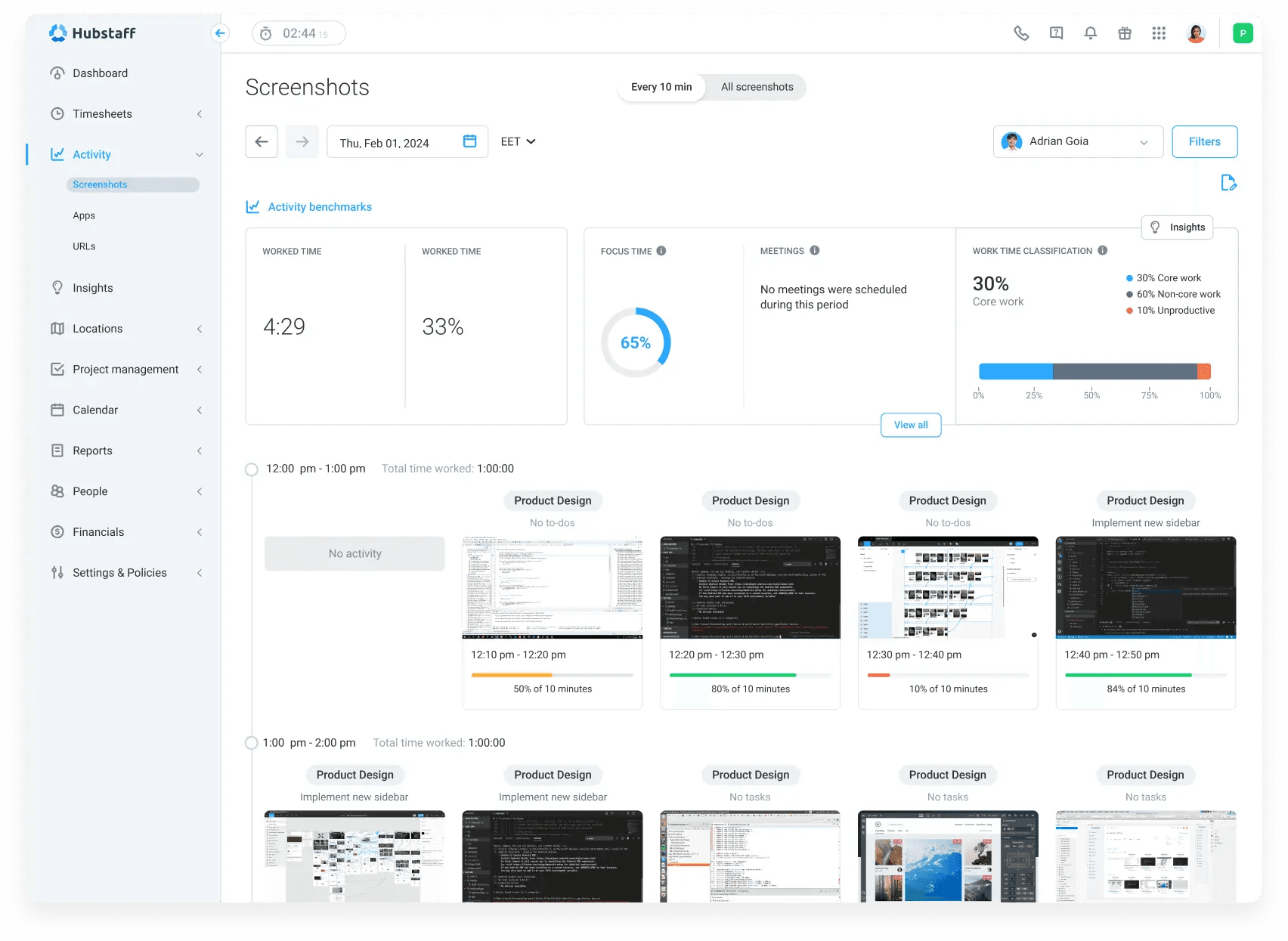
Hubstaff's Remote Productivity Monitoring dashboard visualizes employee activity, focus time, and work patterns to assess productivity across the workday.
Hubstaff is a workforce management platform focused on time, attendance, productivity, and operational visibility. It helps organizations understand how remote, mobile, and field-based employees spend their working hours across projects, tasks, and clients. Moreover, automated timesheets, activity data, and attendance tools reduce manual tracking while providing a clearer view of daily work patterns.
Managers can use the productivity reports to compare time spent, project progress, labor costs, and team performance. As a result, they can identify inefficiencies, support better staffing decisions, and strengthen accountability across distributed teams. Hubstaff is particularly well suited to organizations that need structured time and activity tracking across a remotely operating workforce.
Key Features:
- Automated time tracking
- Activity and productivity insights
- Workload and capacity visibility
- Attendance and time-off management
- GPS and location-based tracking
- Productivity alerts and reporting
Pros and Cons
- Provides detailed visibility into how employees spend their working hours
- Provides automated timesheets with less manual effort
- Helps in GPS and geofenced time tracking
- Offers productivity alerts and workforce reports for better oversight
- Requires clear communication and privacy policies around employee monitoring
- Limited support for strategic project planning
- Advanced reporting and workforce capabilities require higher-tier plans
ClickUp
Best for: Small, mid-sized, and large teams.
Pricing: The annual billing starts with Basics at $9.99 per user/month, Accelerate at $24.99, Optimize, and Enterprise at custom rates.
Free Trial/Demo: Offers a Free Forever plan and trials of selected paid plans.
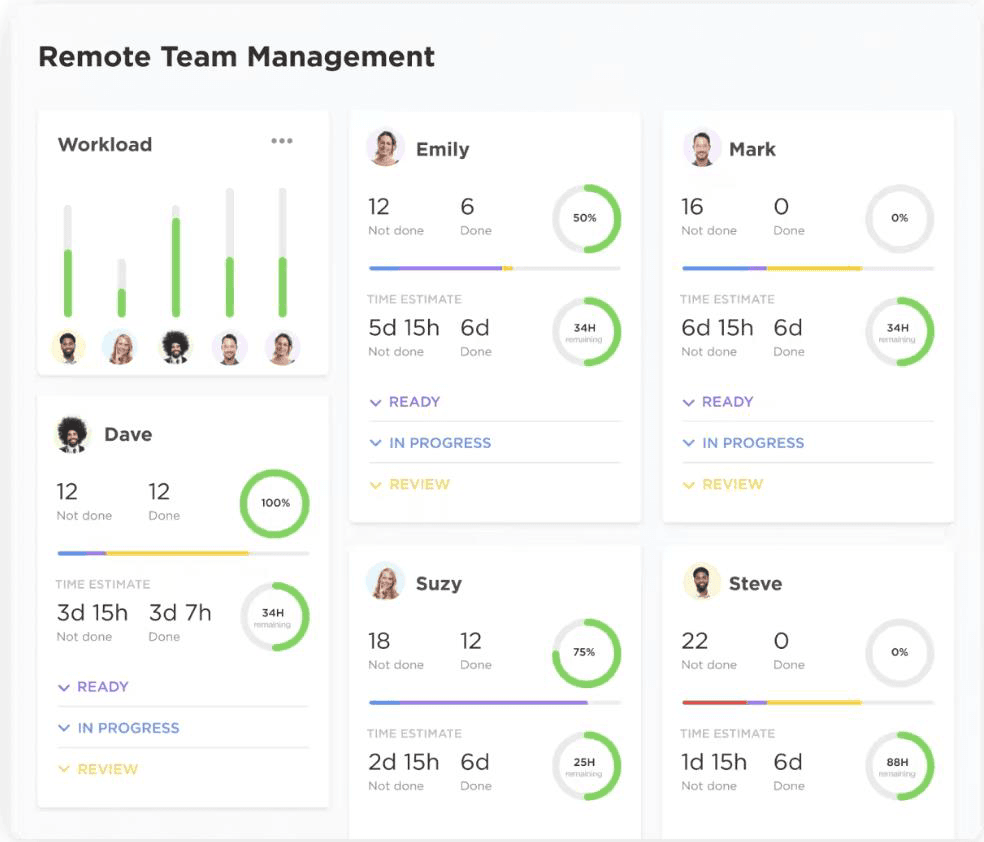
ClickUp's Remote Team Management dashboard tracks completed and pending tasks across employees to identify workload imbalances.
ClickUp is an all-in-one work management platform designed for distributed teams. It brings projects, documents, goals, communication, dashboards, and workflows into one workspace. Moreover, customizable lists, boards, calendars, timelines, and Gantt charts help remote employees organize and visualize work in ways that suit different teams and processes.
ClickUp Docs, Chat, task comments, assigned comments, and notifications keep team communication connected to ongoing work. Meanwhile, automations, templates, custom fields, and configurable statuses help teams standardize and adapt their workflows. This broad functionality makes ClickUp suitable for organizations looking to consolidate multiple remote-work tools into one connected platform.
Key Features:
- Task and project management
- Customizable work views
- ClickUp Docs and Chat
- Goals and milestones tracking
- Workflow automation
- Time tracking
Pros and Cons
- Centralizes multiple remote-work functions within one platform
- Supports customizable workflows for different team and processes
- Offers multiple views for visualizing projects and tasks
- Scales from simple task tracking to structured work management
- Extensive features and settings may create a learning curve
- Teams may need time to establish consistent workspace structures and processes
- Feature availability and usage limits vary across plans
Harvest
Best for: Small to mid-sized teams.
Pricing: Starts with a free plan, Teams plan at $9 per seat/month, and Enterprise plan at $14 per seat/month.
Free Trial/Demo: Offers a fully functional 30-day free trial.
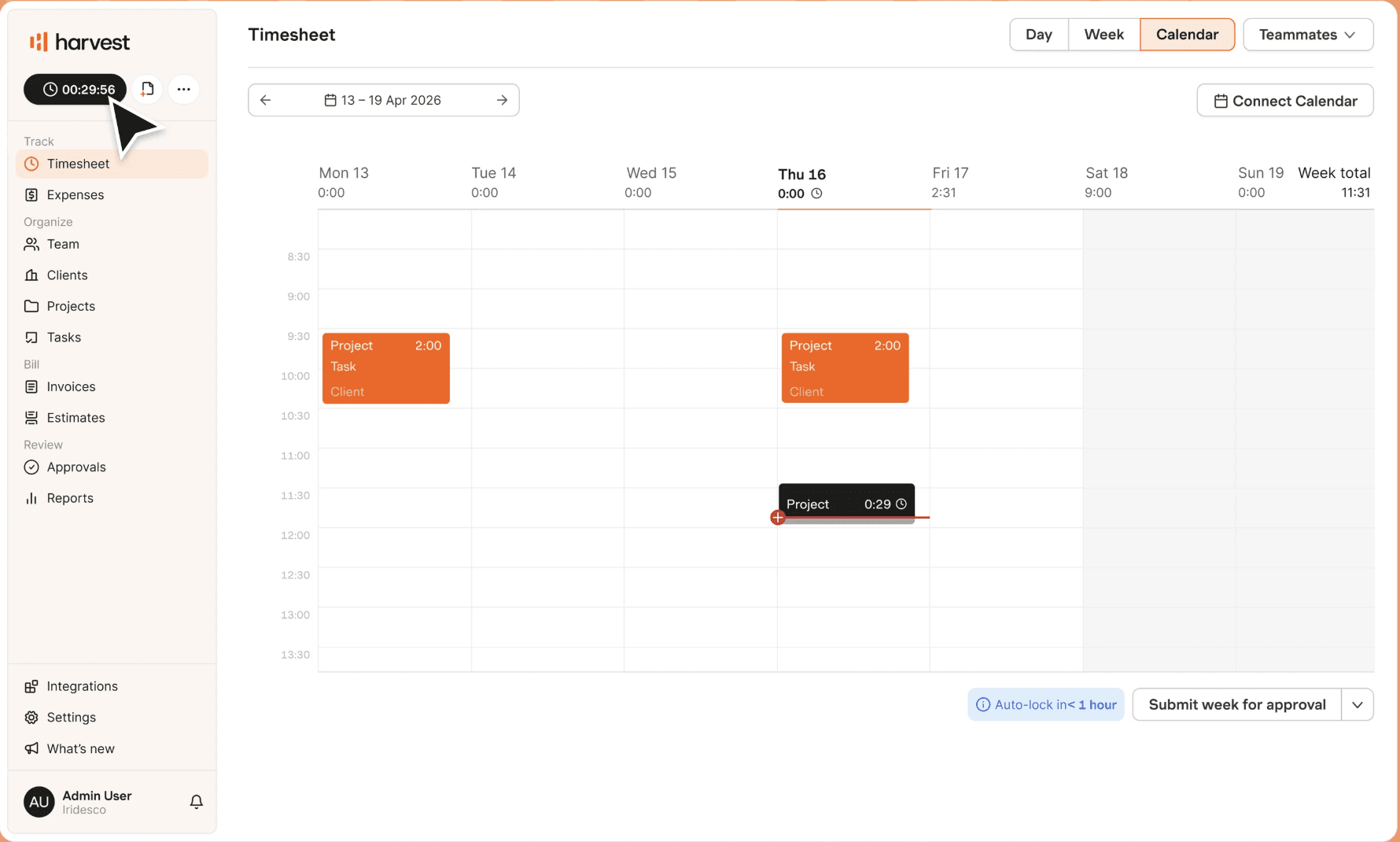
Harvest's Timesheet dashboard organizes time entries by day, project, task, and client to provide a clear view of weekly work hours.
Harvest is a time tracking software designed for remote teams handling client and project-based work. Employees can record hours through the web, desktop, and mobile applications or directly with supported integrations. This flexibility helps organizations understand how teams distribute their time across clients, projects, and individual tasks, regardless of where employees work.
Additionally, project budgets and reports help managers monitor whether work remains within planned time and cost limits. One of Harvest's standout features is its detailed reporting, which shows how many billable hours teams spend on each project. These insights help managers allocate the remote workforce effectively, identify where additional support is needed, and improve overall team productivity.
Key Features:
- Flexible time tracking
- Timesheet reminders
- Automatic time-tracking reminders
- Team capacity and utilization visibility
- Reporting and integrations
Pros and Cons
- Helps remote teams maintain accurate project timesheets
- Connects tracked hours with budgets, invoices, and revenue
- Provides clear insights into billable time, capacity, and project performance
- Integrates with common project management and accounting systems
- Offers limited task management compared to dedicated work-management platforms
- Provides limited support for advanced workforce scheduling and capacity forecasting
- May require a separate project collaboration tool
Wrike
Best for: Mid-sized to large organizations.
Pricing: Starts with a free plan, Team plan at $10 per user/month, Business plan at $25, Pinnacle, and Apex at custom rates.
Free Trial/Demo: Offers a 14-day free trial and product demo.
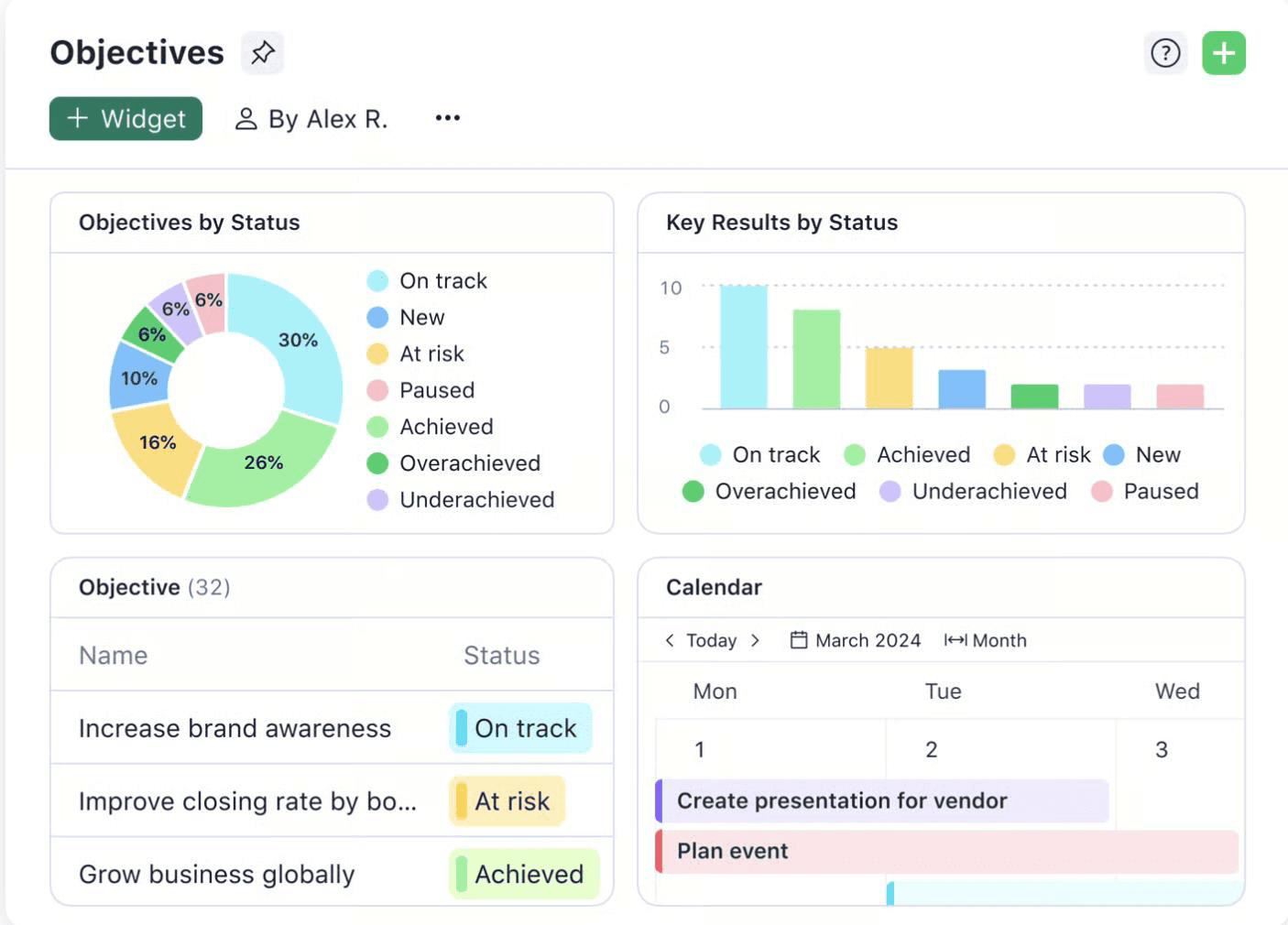
Wrike's Customizable Report visualizes objectives and key results by status to help teams monitor progress and identify at-risk goals.
Wrike is an AI-powered enterprise work management platform designed for remote teams handling complex projects and cross-functional workflows. It centralizes project plans, tasks, files, communication, approvals, deadlines, and reports. Moreover, customizable dashboards and views give managers clear visibility into work across multiple teams and projects.
Wrike offers custom request forms, reusable templates, project blueprints, and automation that help organizations standardize repeatable processes and reduce manual coordination. Meanwhile, online proofing and approval workflows allow remote marketing, creative, and content teams to review assets, provide contextual feedback, and manage sign-offs without relying on lengthy email exchanges.
Key Features:
- Time tracking
- Kanban boards & Gantt charts
- Customizable dashboards and reports
- Request forms and project blueprints
- Online proofing and approvals
Pros and Cons
- Supports complex projects and cross-functional workflows
- Provides strong project visibility through multiple views and dashboards
- Automates requests, approvals, notifications, and recurring processes
- Includes proofing features for creative collaboration
- Configuration and adoption may require more effort than simpler tools
- Advanced analytics, resource management, and security capabilities depend on the plan
- May be too feature-rich for small teams with basic task-management needs
Slack
Best for: Small, mid-sized, and large teams.
Pricing: Starts with a free plan, Pro plan at $2.55/user/month, Business+ plan at $5.78/user/month, and Enterprise+ plan upon request.
Free Trial/Demo: Offers a free plan and demo.
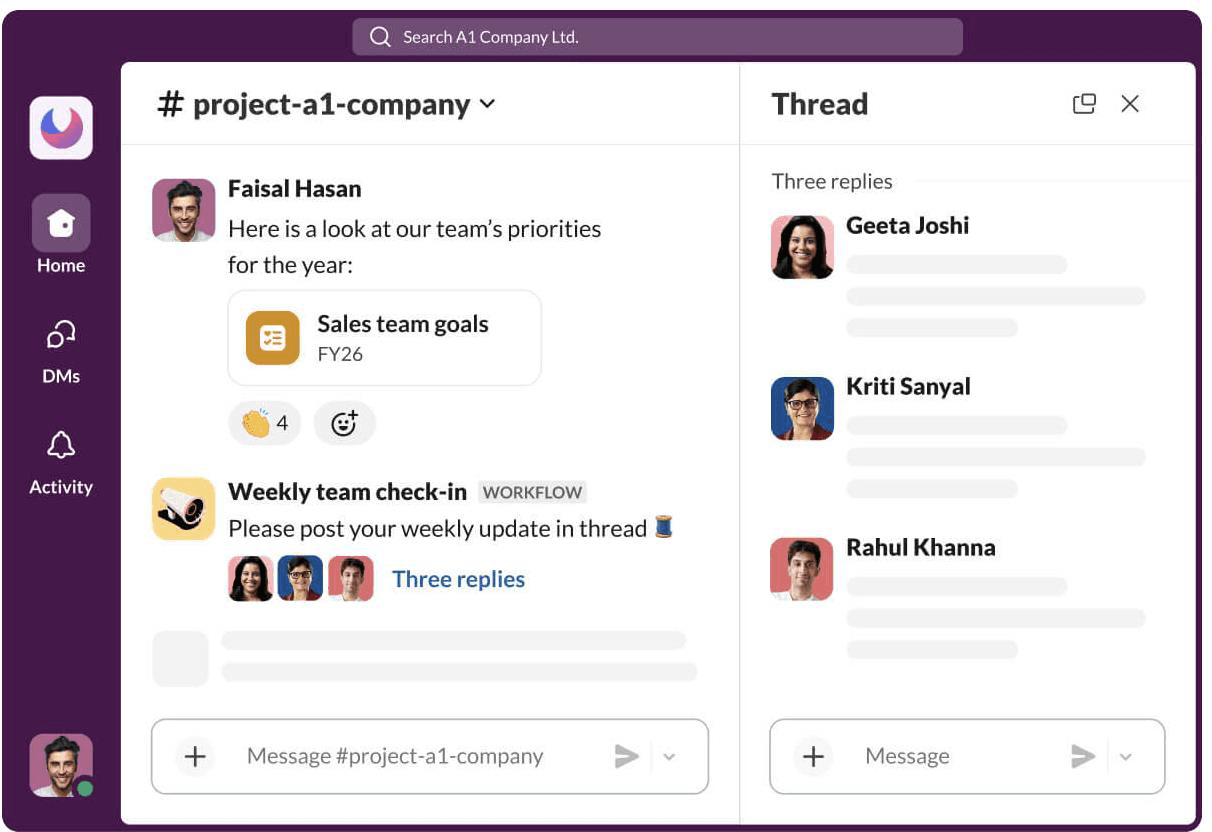
Slack's Project Channel centralizes team priorities, goals, and weekly updates to keep project communication organized and accessible.
Slack is an AI-powered communication and collaboration platform that helps remote teams organize fragmented conversations into dedicated channels. Teams can create channels for departments, projects, clients, topics, or shared initiatives. Meanwhile, direct messages, threads, huddles, clips, file sharing, and searchable conversations support both synchronous and asynchronous communication.
Slack Connect also allows organizations to collaborate securely with customers, vendors, and external partners. Moreover, Workflow Builder and app integration help employees automate routine processes and access connected tools without frequently switching between platforms. However, Slack primarily strengthens communication and usually works alongside dedicated project management or resource management software.
Key Features:
- Public and private channels
- Direct messages and threaded conversations
- Audio and video huddles
- Searchable messages, files, and conversations
- Slack Canva and Slack Lists
Pros and Cons
- Keeps remote conversations organized by team, topic or project
- Supports both real-time and asynchronous communication
- Makes shared knowledge and past discussions searchable
- Supports communication with external organizations through Slack Connect
- High message volumes can create noise and notification fatigue
- Important decisions may become difficult to locate without clear channel practices
Asana
Best for: Small, mid-sized, and large teams.
Pricing: Starts with a free plan, Starter plan at $10.99/user/month, Advanced plan at $24.99/user/month, and Enterprise plan upon request.
Free Trial/Demo: Offers a free Personal Plan, paid-plan trials, and product demo.
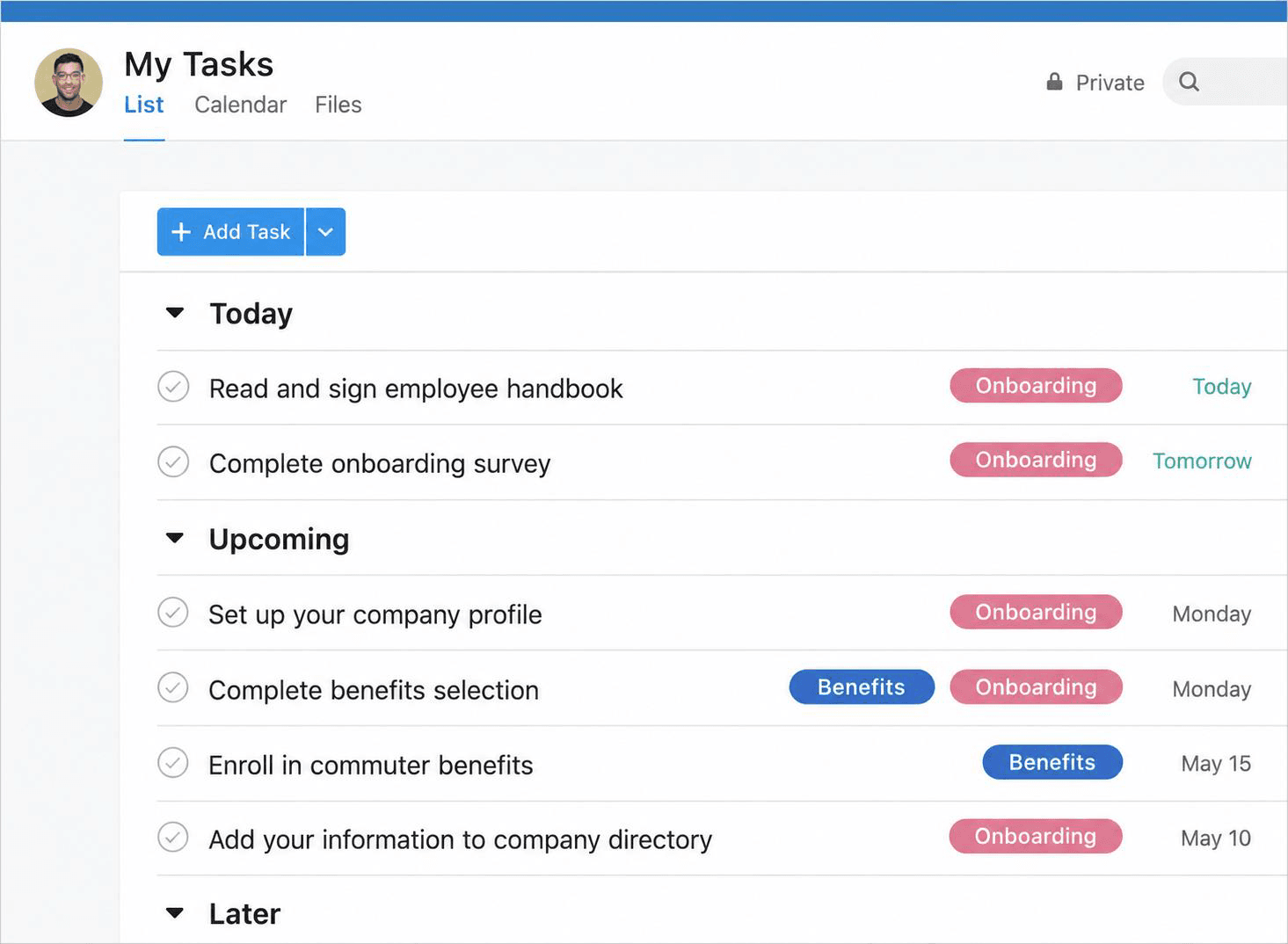
Asana's Task List organizes assignments by timeline, category, and due date to help employees manage daily and upcoming work.
Asana is a work management platform that helps remote teams coordinate tasks, projects, deadlines, goals, and responsibilities. It creates a shared source of truth by showing employees what they need to complete, who owns each task, and when it is due. Consequently, teams can reduce confusion and maintain accountability across locations.
Its list, board, calendar, timeline, and workload views help teams organize and visualize different types of work. Moreover, rules, templates, forms, and approvals standardize recurring processes and reduce manual coordination. Asana suits distributed teams seeking clearer ownership, more consistent workflows, and smoother cross-departmental collaboration.
Key Features:
- Task and project management
- Calendars and timeline views
- Task dependencies and milestones
- Forms and approval workflows
- Workload and capacity views
Pros and Cons
- Creates clear visibility into task ownership and deadlines
- Lets teams visualize work through lists, boards, calendars, and timelines
- Helps standardize remote workflows through rules and templates
- Provides portfolio and workload visibility on eligible plans
- Resource and workload capabilities are less extensive
- Advanced reporting, goals, portfolios, and administrative controls require paid plans
- Complex workspace structures can become difficult to maintain overtime
Monday.com
Best for: Small, mid-sized, and large teams.
Pricing: Public pricing varies by region, team size, and plan. Annual pricing starts with a free plan, followed by Basic at $9 per seat/month, Standard at $12 per seat/month, Pro at $19 per seat/month, and Enterprise at a quote-based price.
Free Trial/Demo: Free plan and 14-day free trial available.
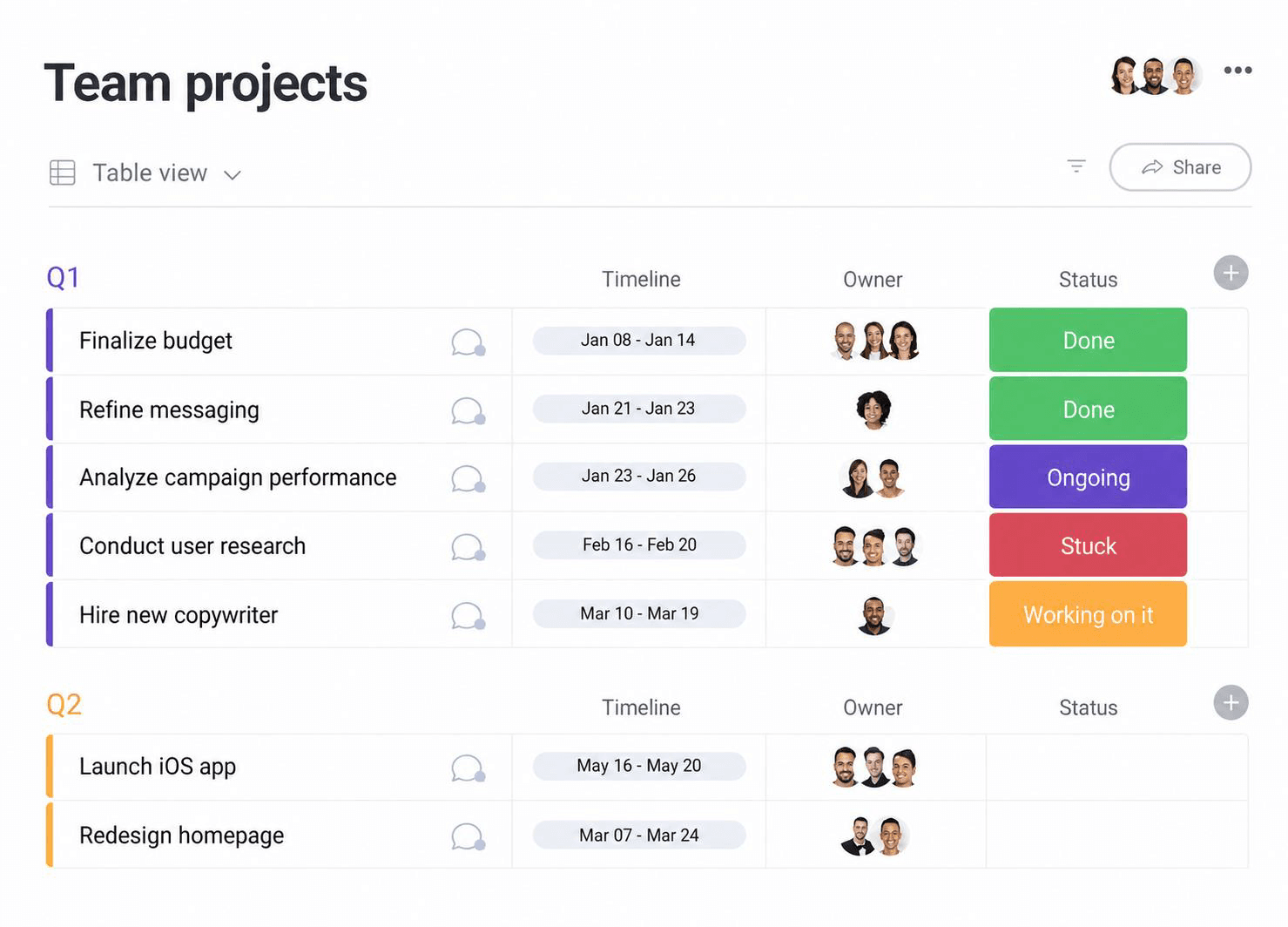
Monday.com's Team Projects dashboard displays tasks, deadlines, ownership, and progress statuses to provide a centralized view of ongoing projects.
Monday.com is a work management platform that helps remote teams coordinate projects, processes, and day-to-day activities. Distributed teams can organize work through visual boards that display owners, timelines, statuses, priorities, and project interdependencies. Moreover, Kanban, calendar, timeline, Gantt, workload, and dashboard views provide different ways to monitor progress.
Its workflow automation feature helps handle routine actions such as sending notifications, assigning work, changing statuses, and other routine actions, thereby reducing manual coordination. Meanwhile, forms, documents, updates, and integrations help teams capture requests and collaborate around shared work. Its flexibility allows departments to configure the platform according to their specific remote workflows.
Key Features:
- Customizable work boards
- Task ownership and status tracking
- Kanban, calendar, timeline, and Gantt views
- Dashboards and reporting
- WorkForms & Workdocs
- Time tracking
Pros and Cons
- Adapts to a wide range of business processes and team workflows
- Offers multiple views for tracking remote work
- Reduces repetitive coordination through configurable automation
- Supports cross-functional visibility through connected dashboards
- Extensive customization can lead to inconsistent boards without governance
- Pricing can increase as teams add users and advanced capabilities
- Advanced workload, reporting, and automation functions vary by plan
Teamwork.com
Best for: Small to mid-sized teams.
Pricing: Teamwork's Basics plan starts at $9.99/user/month and the Accelerate plan at $24.99/user/month. Optimize and Enterprise plans are available upon request.
Free Trial/Demo: Offers a 30-day free trial and a personalized demo.
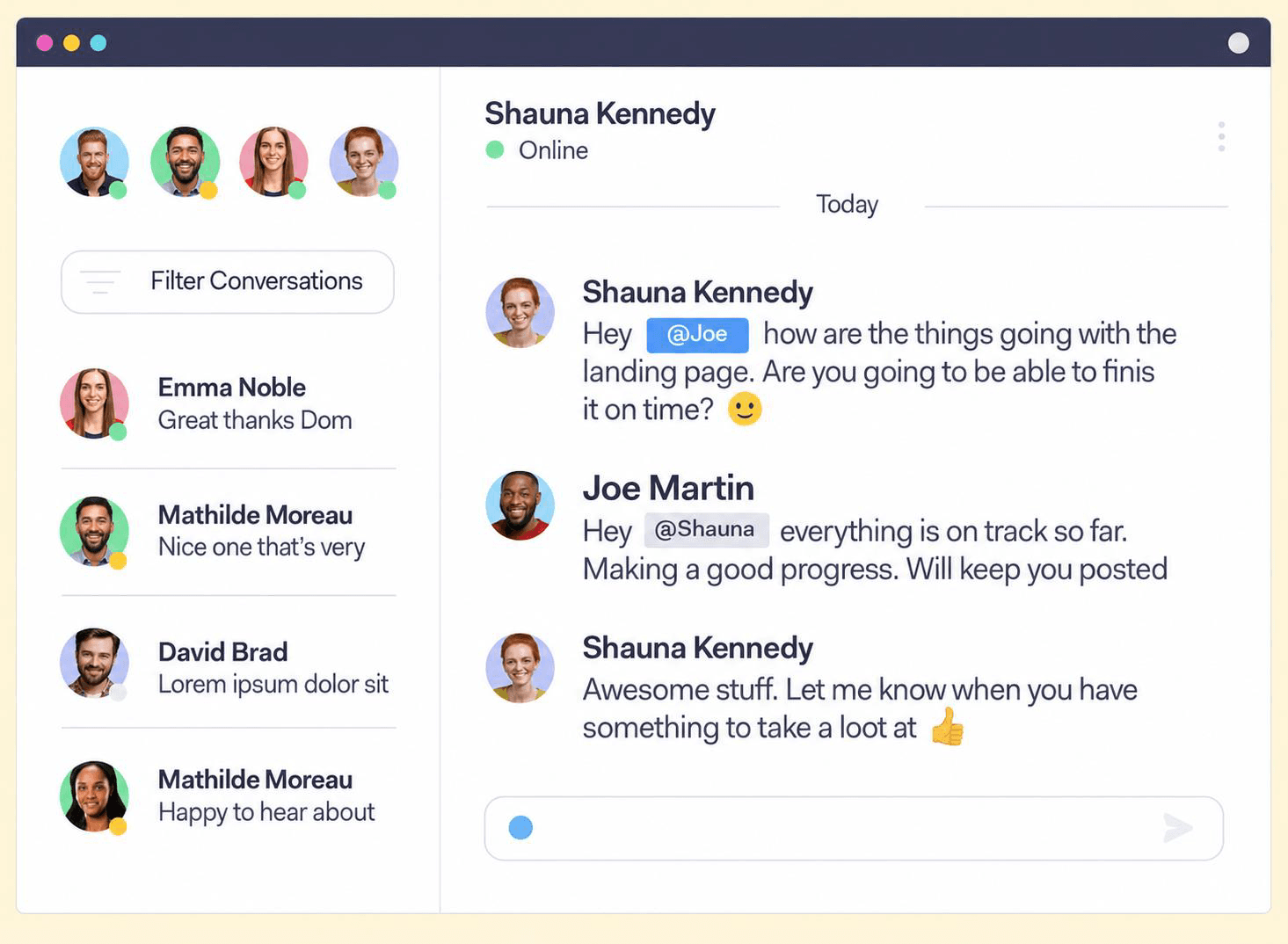
Teamwork.com's Team Chat interface enables direct communication between team members to simplify project coordination and follow-ups.
Teamwork.com is an AI-powered PSA platform that centralizes tasks, communication, files, deadlines, and updates for remote teams. Its shared workspace lets employees and project stakeholders access project information and track progress from anywhere. Moreover, Teamwork chat further supports contextual communication through project channels, direct conversations, and the ability to turn messages into actionable tasks.
Its board view visually organizes work by ownership, status, and priority, while custom templates standardize recurring processes for seamless remote team management. Additionally, the workload feature helps managers review remote teams' capacity, redistribute assignments, and prevent overload. Overall, Teamwork.com is well suited to remote teams seeking to coordinate projects, balance workloads, and connect delivery with time and financial performance.
Key Features:
- Centralized project workspaces
- Teamwork Chat
- Board, list, table, and Gantt views
- File-sharing and task-based communication
- Dashboards and reporting
Pros and Cons
- Centralizes remote projects, tasks, communication, files, and client collaboration
- Provides visibility into project progress and responsibilities
- Supports contextual communication through Teamwork Chat
- Helps managers review capacity and balance workloads across distributed teams
- Smaller teams may not need its broader project and financial features
- Advanced resource planning, reporting, and profitability features depend on the plan
- Teams may need initial configuration and training
Explore the best Teamwork alternatives for effective resource management.
How We Evaluated the Best Tools for Remote Teams
Evaluating the best tools for remote teams requires more than checking their messaging and video-calling capabilities. The right platform should help distributed teams communicate clearly, coordinate tasks, share information, balance workloads, and maintain visibility across locations and time zones. Therefore, businesses should consider the following criteria when comparing remote team software:
Evaluation Criteria:
- Enterprise Scalability: Can the software support growing teams, multiple departments, distributed locations, different time zones, complex projects, permissions, and governance requirements?
- Customization & Flexibility: Can teams configure workflows, dashboards, communication channels, project views, reports, templates, user roles, and notification settings?
- Automation & Workflow Support: Does the platform reduce repetitive work through automated reminders, task assignments, approvals, recurring workflows, notifications, and status updates?
- Early Warning Indicators: Can the tool identify overdue tasks, missed deadlines, workload imbalances, communication delays, project bottlenecks, and burnout risks early?
- Security & Governance: Does the software provide secure file sharing, role-based access, audit logs, SSO, MFA, encryption, compliance support, and controlled data visibility?
- Remote Workforce Coordination: Can managers easily track employee availability, working hours, time zones, leave, workloads, priorities, and active assignments?
- Skills-Based Work Allocation: Does the software help assign work based on employee skills, experience, availability, location, interests, roles, and existing workloads?
- Reporting & Analytics: Do the dashboards provide useful insights into project progress, productivity, workload distribution, task completion, collaboration, and team performance?
- Vendor Support & Implementation: Does the vendor provide onboarding, implementation assistance, user training, documentation, product demonstrations, and reliable customer support?
- Integrations: Does the platform connect with existing project management, communication, file-sharing, HR, CRM, calendar, time-tracking, finance, and productivity tools?
- Pricing & Trial Access: Is the pricing transparent, and does the vendor offer suitable trials, demos, flexible plans, and value for the organization's remote-work requirements?
Check out our enterprise resource management software checklist to make smarter buying decisions.
Looking for next-gen resource management software for remote teams? Explore SAVIOM for its comprehensive suite of features that help manage resources effectively and boost business growth.
Conclusion
Remote teams need more than a communication or task management tool to work effectively. The right platform should clarify task ownership, improve workload visibility, support remote team collaboration and accountability, and enable secure information sharing. However, no single solution fits every organization because team sizes, structures, workflows, and operational needs differ.
Therefore, businesses should first identify their main challenge and compare platforms based on scalability, usability, integrations, security, reporting, customization, and total cost. They should involve managers and end users, test options through trials or demos, and select a tool that simplifies work, improves visibility, and connects employees without adding complexity.
Remote Team Tools FAQs
What is remote team software?
Remote team software helps employees communicate, collaborate, and coordinate work across different locations, time zones, and work schedules. It supports messaging, task management, project planning, file sharing, resource scheduling, time tracking, workload management, and reporting.